Create FBA and WFS shipments without a seller-portal login
Prep-and-ship software for Amazon FBA and Walmart WFS sellers, prep centers and 3PLs.†
No credit card required.
Connected through Amazon’s Selling Partner API and
Walmart’s Marketplace API.
See ScanPower on the Amazon Selling Partner Appstore.
Who is ScanPower for?
Amazon sellers, Walmart sellers, and the prep centers and 3PLs who pack for them.
Choose your operation
Amazon seller
Build the shipment directly or import an existing workflow.
- Build a shipment by scanning UPCs, import spreadsheet, or a received purchase order.
- FNSKU and expiration labels print on scan, as each unit is handled.
- Direct printing to Zebra and Rollo through QZ Tray, DYMO 450 through DYMO Connect.
Walmart seller
A 2nd marketplace with the same workflow.
- The whole WFS inbound lifecycle: preview, create, rate quote, booking, carrier label, bill of lading, tracking.
- Walmart Seller Fulfilled listings, and Seller Fulfilled to WFS conversion.
- GTIN item labels, and a Walmart buylist in the mobile app.
Prep center / 3PL
Seamless switching between clients from a single login. Effortless prep billing captured where your team works.
- The client grants access from their own account page. You switch into them from a dropdown.
- Prep type matrix, per-client tiers and ad hoc charges, tallied as the work happens.
- Invoices out as CSV, XLSX, PDF, email, a Stripe or Quickbooks invoice.
The box label prints when the box closes
Scan units into the box, close it, and the box label prints in the pack-later (LTL) workflow.
At the pack station, box by box
No label yet.
4 × 6 thermal. Illustrative values; the barcodes encode nothing.
Scan a unit into the box
A saved box template fills in the dimensions and the weight. The scan is the data entry.
Close the box
Its contents are already captured, not typed into a grid afterwards.
The box’s label prints, right away
FBA box label, 2D box content, both, or one unified label. Per box, or all boxes.
One 4 × 6 label, up to three jobs
Step through the regions it carries.
- FBA box label. Ship from, ship to ONT8, box number and weight, shipment barcode.
- 2D box content. What your packer scanned into this box, carried on the label itself.
- FNSKU item label. X00SAMPLE7, condition New, best-by date — on a single-SKU box. A case-packed or mixed box stops at region 2.
Pack-later workflow: box contents are provided after the shipments are generated.
The same twelve steps, done by your packer
Nine of the twelve move to a packer. None of the twelve needs a seller-portal password.
One 40-SKU restock. Twelve cartons, moving LTL.
Seller portal
- 12Steps
- 12Need a portal login
- 0A packer can do
- 8Before the first box label
- Sign in to Seller Central, as owner or an invited user†
- Manage Inventory: confirm all 40 SKUs are FBA
- Send to Amazon, Step 1: choose inventory, set quantities
- Set prep and label defaults, ship-from address, destination
- Print FNSKU item labels, downloaded as a PDF sheet†
- Step 1b: declare every box. SKU, quantity, weight, dimensions†
- Review Amazon’s placement options and shipment splits
- Step 2: Confirm shipping. Placement, carrier, pallet
- Step 3: Print box labelsFirst moment a box label exists.
- Step 4: confirm carrier and pallet information
- Final step: upload tracking, or the BOL for LTL
- Book the delivery appointment in Carrier Central
Step names from Amazon’s Beginner’s guide to Send to Amazon, last updated 6 June 2024, and its Selling Partner API documentation.
ScanPower
- 12Steps
- 0Need a portal login
- 9A packer can do
- 6Before the first box label
- Packer signs in as a sub-userPacker
- 3PL: proxy into the client account, no client credentialsPacker
- Build the shipment: scan the SKUs, or import a listPacker
- Item and expiration labels print on scan at the pack station. Prep charges applied automatically.Packer
- Step 1: Confirm inventory to send. Item errors surface herePacker†
- Choose the pack-later workflow, generate the shipments
- Step 3: Pack. Scan units into the box, the template fills dimensionsPacker
- Close the box, print that box’s label right therePackerFBA, 2D box content, or one unified label. No carrier chosen yet. Pack-later (LTL) only, confirmed 2026-08-21.
- Repeat for all 12 boxes, two pack stations, one live pack statePacker
- Step 4: Confirm transportation, and adjust quantities if you need to
- 3PL: ad-hoc charges added, per-unit prep already accruingPacker
- Buy partnered shipping or enter tracking, and print Amazon’s copies too
Steps from the ScanPower help center: Prep & Ship packing and printing workflows.
Twelve steps either way. The gap opens with SKU mix, box count and headcount — not with five case-pack boxes packed by the owner.
See the full trace, and what still needs Seller CentralThree items in this trace need Paul’s confirmation
† #15 Does an invited Seller Central user still need a never-before-used email? #5 Is the box label PDF only? #1 The name and scope of Amazon’s box-later control today.
(Two items resolved 2026-08-21: print-as-you-pack is confirmed pack-later/LTL only, and pack state is confirmed pushed live to every pack station working a shipment, not just refreshed on action.)
The trace counts 9 packer steps and names 8. Step 5 is tagged as the ninth here.
“First of all, I want to say thank you for creating ScanPower, it’s alleviated a lot of issues we previously had when building our 3PL. The ultra fast support on chat has been amazing for the team to quickly fire any questions they’ve had. As a software engineer myself, I appreciate the speed and ease of use, and it’s great seeing the rapid iterations in the changelog 😃”
Kal - co-founder @SellerSmart UK
“ScanPower’s process flow helps reduce errors which saves us lots of money by lowering our return rate. … It’s a superior replacement to InventoryLab in nearly every respect.”
Matt Maxwell, owner @CycleCrew
Which plan is right for you?
Pick by whose inventory you pack.
Walmart & Amazon Seller
This is you if you sell on your own Amazon and Walmart accounts from one ship-from location.
$79per month
- 1 ship-from location. Unlimited sub-users.
Enterprise Pro
This is you if you handle large shipment volumes, from one location or several.
$199per month
- Multi-user, multi-workstation support. API for software integrations.
3PL Enterprise
This is you if you prep and pack inventory for clients.
$199per month, plus $20 per active client per month† 15 clients = $499 per month: $199 plus $20 × 15.
For up to 50 clients. Above 50, contact us for a customized quote. An active client is one that generated a shipping, box or product label that month. †Per active client in the billing period. You are only charged if you ship for the client during the billing period.
- Roles and permissions settings for each team member.
Every plan includes a 14-day free trial and both marketplaces. See the full feature list.
Drive it from your own system
A REST API and a webhook feed ship on Enterprise Pro and 3PL Enterprise. Read the reference.
Question before you trial?
Before you start the trial
Do I need a credit card?
No. The signup form has no card field: marketplace, plan, name, business name, email, password, ship-from address. The card is collected via a reminder email sent during the trial. The trial converts to a paid subscription on its own: ScanPower’s Terms of Use state the card on file is charged on the 15th day. A trial that never printed a label is not charged.
Can I cancel whenever I want?
You cancel it yourself, inside your account. The published policy: canceling is your responsibility, an emailed request does not count, and amounts already paid are not refunded. The full Cancellation Policy is on the help center.
Can I get my data back out?
Yes. Prep billing reports export as CSV or XLSX, by week or month. Sales reports download any time, and the REST API reads the same records. ScanPower retains sales and settlement data for the current and previous fiscal years.
Can I bring my history in?
Yes. Upload historical FBA and MFN inventory cost and sales data from a spreadsheet. Import a shipment plan built outside ScanPower, items from an .xlsx file, or received items from a purchase order.
What printer do I need?
Direct printing to the DYMO 450 through DYMO Connect, and to the Zebra ZP450, GK420d, GX420d and Rollo through QZ Tray. Any other printer prints a PDF.
How do I reach support?
The Fin support widget inside the application, at help.scanpower.com, or support@scanpower.com. ScanPower’s stated position: a knowledgeable person answers, not a chatbot. ScanPower does not publish a guaranteed response time or support hours.
How many people can use one account?
The $79 plan includes unlimited sub-users and one ship-from location. Enterprise Pro and 3PL Enterprise add multi-user, multi-workstation support, and 3PL Enterprise adds roles and permissions per team member.
Tune your prep process in 2 weeks
No credit card, no sales call. Create the account, authorize Amazon or Walmart, and run one real shipment.†
Not ready to connect an account?
Prep, pack and label FBA shipments at the pack station
ScanPower is Amazon FBA prep and ship software. Build shipments by scanning or importing, list and label as you go, pack units into boxes, and print box labels.
It runs on Amazon’s own Fulfillment Inbound API, so nothing here bends Amazon’s rules. What’s different is how easy it is to train your team and increase units per hour.
How do you build an FBA shipment?
In seven stages, all on one screen: build the shipment by scanning or importing, list and label the units, confirm what you are sending, choose the pack-first or pack-later workflow, pack units into boxes, print each box’s label as it closes, then confirm transportation and buy the freight.
1. Build the shipment
Five ways in. None of them is retyping a spreadsheet.
Add items by scanning or entering an ASIN, UPC, ISBN, MSKU or title, or import them in bulk. Purchase Order import brings in received PO items, and is available on the Enterprise Pro and 3PL Enterprise plans.
- Scan or type to add
- Import from Inventory
- Import from Buylist
- Import Spreadsheet, .xlsx
- Import from a received Purchase Order
2. List and label as you receive
The item label fires on the scan, not on a second pass.
New FBA listings can be created automatically as each new MSKU enters the plan, or held behind a manual Create Offer Listings click. FNSKU item labels and expiration labels print straight to the printer at the pack station as each unit is scanned.
- Auto-create FBA listings, toggle controlled
- Print item labels when listing
- Expiration labels, per quantity
- MSKU templates with $asin, $cost, $source and $date
- Minimum and maximum price guardrails
- Restricted brand and item check at scan time
3. Confirm what you are sending
Step 1: Confirm inventory to send.
Amazon’s per-item errors surface here, before packing labor is spent on a unit that cannot go. ScanPower’s help center carries a 32-article library that translates the raw strings, including ITEM_WITH_NO_VALID_FC, NOT_IN_PRODUCT_CATALOG, MELTABLE_PRODUCT_RESTRICTION and the AndonCordManager block, each with its cause and its fix.
- Item-level errors in plain language
- Hazmat, meltable and oversize guidance before you pack
- 32 documented error articles
4. Choose the workflow
Amazon offers both orders. So does ScanPower.
Provide box contents up-front, which ScanPower calls pack first and Amazon allows for SPD, LTL and FTL. Or provide box contents after generating shipments, the pack-later path, which Amazon restricts to LTL. The workflow is chosen per plan. The difference is set out below.
- Pack first, SPD, LTL and FTL
- Pack later, LTL only
- Case-pack shipments
5. Pack the boxes
Step 3: Pack. The physical act is the data entry.
Scan each unit into a box. A box template fills in the dimensions, weight and packing quantity for a carton you use over and over, and sticky dimensions carry the last box’s numbers to the next one. ScanPower confirms a pack audibly, and warns when a box side goes past the limit you set. Two or more pack stations can work one shipment at the same time, with pack state pushed live to every station working it, on the Enterprise Pro and 3PL Enterprise plans.
- Scan to pack
- Named box templates
- Sticky box weight and dimensions
- Audible pack confirmation
- Oversize warning at your own limit
- Upload Pack List to auto-pack MSKUs and boxes
- Find a unit across a shipment, a box or a pack group
6. Label the box you just closed
The label follows the box, not the carrier.
Close a box and print its label right there: an FBA box label, a 2D box-content label, both, or one unified label carrying both jobs. Print per box as you go, or all boxes at once, and print them again from Step 5 after transportation is confirmed. This print-as-you-go behavior is confirmed for the pack-later (LTL) workflow; see the pack-later section above. The label itself is worth its own section.
- FBA box label
- 2D box-content label
- Unified FBA + 2D
- Per box, or all boxes
- Pallet labels
7. Confirm transportation and buy the freight
Step 4, then Step 5 if you want Amazon’s own label copies.
Generate and confirm transportation options, then buy partnered shipping or enter non-partnered tracking. Quantities can still be adjusted inside Amazon’s 5% or six-unit rule from the same screen. There is no complete-shipment button: the status changes when the carrier picks the shipment up.
- Partnered and non-partnered SPD
- Partnered and non-partnered LTL
- Tracking for small parcel
- Bill of lading for LTL and FTL
- Adjust quantities after shipping is confirmed
Pack first or pack later?
Pick pack first when the boxes are already built or the shipment moves small parcel. Pick pack later when you want the shipment created before anyone tapes a carton, and the freight moves LTL. Amazon supports both orders. ScanPower names its two workflows after Amazon’s own wording.
Provide box contents up-front, the pack-first workflow
Box contents are declared before the shipment is generated. Amazon allows this path for small parcel, LTL and FTL, and it is the right choice for case packs, for mixed cartons and cartons that were built before the plan was opened. Box labels come at Step 4: Print Box Labels, and can also be printed per box or for all boxes once shipping is confirmed.
- SPD, LTL and FTL
- Case-pack friendly
- Contents committed before placement
Provide box contents after generating shipments, the pack-later workflow
The shipment(s) are generated first, then the box contents are captured at the pack station by scanning units into boxes. Amazon restricts this path to LTL. Because placement is already confirmed, the shipment IDs exist, so ScanPower can render that box’s label locally the instant the box is closed, before a carrier is chosen.
- LTL only
- Contents captured by scanning
- Box label exists before the carrier does
What Amazon says
“Follow steps best suited to your operations by packing boxes ahead of shipment creation or packing boxes after shipment creation.” Amazon’s developer documentation is explicit about the deadline: “You cannot provide packing information using Send to Amazon after confirming placement options.”
The workflow choice is up to you. In the portal the contents go in at Step 1b and the box label appears at Step 3, after shipping is confirmed. In ScanPower’s pack-later flow the label appears in the Pack step. The full 12-step trace, both ways, with the counts.
From “The Beginner’s guide to Send to Amazon”, last updated 6 June 2024, and from Amazon’s Selling Partner API documentation for the Fulfillment Inbound API, v2024-03-20.
What is a unified FBA and 2D label?
One 4 × 6 label doing up to three jobs at once: the FBA box label Amazon receives the box by, the 2D box-content barcode for that box, and — on a box holding one SKU — the FNSKU item label for what is inside it. ScanPower calls the setting Unified FBA + 2D, and it prints as the box is closed, in the pack-later (LTL) workflow.
A single-SKU box, so this one carries all three blocks. Every identifier drawn here is an illustrative sample, and the barcodes encode nothing.
The settings that control it
Box Label Type has four values: 2D Barcode, FBA Box, Both, and Unified. Unified is the one that puts both jobs on a single piece of label stock. Three further switches decide what else rides along, and the label prints portrait or landscape.
- Box Label Type: 2D Barcode, FBA Box, Both, Unified
- Include SKU
- Include FNSKU Barcode
- Include “Sold As Set”
- Exclude Ship From
- Single SKU Boxes
- Portrait or landscape
Not every box carries all three
How many blocks print depends on what is in the carton. A box holding one SKU can carry the FNSKU item block, which is what Include FNSKU Barcode, Include “Sold As Set” and Single SKU Boxes are for. A case-packed or mixed-SKU box has no single item to name, so it carries the FBA box label and the 2D box-content barcode and stops there. The setting is one setting; the label adapts to the box.
Why it can print before a carrier is chosen
These are ScanPower-generated labels, not downloaded Amazon PDFs. In the pack-later workflow placement is already confirmed, so the shipment IDs exist, and the FBA box label and the 2D box-content label can be drawn locally the instant a box is closed without waiting on a label call or on the freight decision.
Why some boxes need no 2D label at all
Amazon accepts box content in exactly three ways. Populate the contents electronically, affix a 2D barcode to each box, or pay Amazon to key the contents during receiving.
BOX_CONTENT_PROVIDED   contents sent electronically
BARCODE_2D             a 2D barcode applied to each box
MANUAL_PROCESS         Amazon keys the contents, for a fee
ScanPower sends the packed box information over the wire, so for those boxes the second option never has to happen: no 2D label printed, none applied, none mismatched to the wrong carton. The 2D label stays available for the shipments where you want it on the box anyway.
Limitations
Four limits, published rather than discovered later.
- Canceling a shipment plan loses the box and packing data, and you restart from Step 1.
- Items can only be added to a batch in Step 1, not after the plan exists.
- Amazon can return “Carrier estimate is not yet confirmed” and block label printing until support applies a transportation reset.
- Open a ScanPower-created shipment in Seller Central, click Try Send to Amazon, and the shipment converts. No further edits can be made from ScanPower.
Amazon’s own rule is comparable on the first point: discarding packing information there requires a new inbound plan.
The label is the proof, not the pitch. Nothing on it names a carrier or a tracking number, because at the moment it printed neither had been chosen.
It is one setting, not a plan upgrade. Box label printing as you go is listed on all three plans. What differs between plans is multi-user packing, reporting and client billing, not the label.
The box gets its label while the tape gun is still in your hand.
Which labels print, and on which printers?
Nine label types print from PREP & SHIP, from the FNSKU item label to the pallet label. Three printer families print directly, with no operating-system print dialog in the way: DYMO 450 through DYMO Connect, Zebra ZP450, GK420d and GX420d through QZ Tray using ZPL, and Rollo through QZ Tray.
| Label | What it carries | When it prints |
|---|---|---|
| FNSKU item label | The item’s FNSKU, optionally with the fulfillment center ID, shipment ID, an abbreviated business name and a wrapped title | On scan when listing, on scan when packing, or on demand |
| Expiration date label | The expiration date, per quantity | With the item label, or stacked onto it |
| 30-up sheet labels | Thirty item labels on one sheet | On demand, for laser and inkjet stock |
| FBA box label | The shipment ID and box number Amazon receives the box by | As each box closes, and again after transportation is confirmed |
| 2D box-content label | That box’s contents as a 2D symbol, with an option to print the first nine items in the box on the label | As each box closes, or for all boxes at once |
| Unified FBA + 2D | Both of the above on one label, with optional SKU, FNSKU barcode and “Sold As Set” | As each box closes |
| UPS side-by-side | Box labels laid out for 8.5 × 11 stock | On demand |
| 6-Up | Six labels at 4 × 3.33 | On demand |
| Pallet label | Pallet identification | For pallet shipments |
Direct printing, and what happens without it
Direct printing was engineered to remove the click-through print dialog from a high-volume run: the label leaves the browser and reaches the printer without a PDF in between. Where a printer is not on the direct list, ScanPower generates a PDF in a new tab instead, which prints on anything.
- DYMO 450 through the DYMO Connect web service
- Zebra ZP450, GK420d and GX420d through QZ Tray, using ZPL
- Rollo through QZ Tray
- Any other printer, through a generated PDF
Label stock that warehouses actually keep
2.25 × 1.25 inch, which is 57 × 32 mm, is the recommended item-label size. 3 × 1 inch also works, and the DYMO part numbers 30334, 30336, 30252 and 30321 are documented with their setup.
One live gotcha worth knowing before you buy a printer: Chrome 147’s Local Network Access policy, from April 2026, began blocking the QZ Tray connection that direct printing depends on until the new browser permission is allowed. The fix is a click, but it is a click nobody had seen before. Printer setup, part numbers and the QZ Tray change are documented in the ScanPower help center.
What is a pack group?
A pack group is the set of units inside one inbound plan that Amazon has grouped to be packed together. In the pack first flow, Amazon returns pack groups when it generates packing options for your plan. If only one packing option is available, ScanPower auto-confirms and you can begin packing boxes.
What it means at the pack station
It means a large mixed batch does not always become one tidy pile of boxes. On a live pack with two pack stations running, ScanPower lets you search for an item and see which shipment, which box and which pack group it flows into, so a unit is never simply missing. The same search is how a supervisor answers “where did that one go?” without unpacking anything.
From Amazon’s Selling Partner API documentation for the Fulfillment Inbound API, v2024-03-20. The item search across shipment, box and pack group is documented in the ScanPower help center.
How long does training a packer take?
One ScanPower customer trained a team member who was brand new to Amazon in an hour. The pack station job is a scanning job: scan the unit into the box, let the box template fill in the dimensions and weight, close the box, take the label off the printer. The Amazon knowledge sits in the software.
“We trained a team member brand new to Amazon today using the software and they picked it up within an hour! This wouldn’t have been doable [or] as easy…without ScanPower.”
Kal - co-founder @SellerSmart UK
Who can be handed the pack station
Packers sign in as sub-users, with only the permissions and the ship-from addresses assigned to them. Sub-users are unlimited on every plan, and can be created one at a time or in bulk. A prep center goes one step further and proxies into a client account from a dropdown, with an orange bar showing whose account is open.
- Sub-users with per-user permissions
- Per-user ship-from address access
- Client proxy for prep centers
How prep centers and 3PLs run this for other people’s inventory.
Questions about running FBA in ScanPower
Five answers about the batch, the printers and the labels. The questions about Seller Central itself, and about who needs a portal login, are answered on the Seller Central comparison, and the rest of the site’s questions live on the FAQs page.
Can I add more items to a batch after the shipment plan is created?
No. Items can only be added to a batch in Step 1, before the shipment plan exists. If you cancel the plan to start over, the box and packing data goes with it and you restart from Step 1, so it is worth getting the batch complete before you generate shipments.
Which printers print labels directly from ScanPower?
DYMO 450 through the DYMO Connect web service, Zebra ZP450, GK420d and GX420d through QZ Tray using ZPL, and Rollo through QZ Tray. Direct printing skips the operating-system print dialog. Any other printer is served a generated PDF in a new tab instead.
What size label stock do FNSKU labels use?
2.25 by 1.25 inches, which is 57 by 32 millimeters, is the recommended size, and 3 by 1 inch also works. DYMO part numbers 30334, 30336, 30252 and 30321 are documented with their setup, and a 30-up sheet option exists for laser and inkjet stock.
Does ScanPower print expiration date labels?
Yes. Expiration labels print per quantity and can be stacked onto the FNSKU item label, or the expiration can be carried on the item label itself. A default can be set so that a missing expiration date becomes today plus a set number of years rather than a blank.
Can ScanPower create the Amazon listing if the SKU is not listed yet?
Yes. A new FBA listing can be created automatically as each new MSKU enters a batch, or held behind a manual Create Offer Listings click. ScanPower also creates merchant-fulfilled listings from an FBA batch, converts FBA to FBM and back by re-batching, and bulk converts merchant listings to FBA through a spreadsheet feed.
Fourteen days, your own shipments
Start the trial, authorize your Amazon account, and build one real batch. The honest test is the second shipment, not the first: the batch you build while a box template is already saved, the printer is already talking to the pack station, and someone other than you is doing the packing.
Not ready to connect an Amazon account?
Ask for a walkthrough instead and watch a box get closed, labeled and counted before you authorize anything.
Plans start at $79 a month, and every plan includes printing box labels as you go. Compare the four plans.
Create a Walmart WFS shipment without Seller Center
ScanPower is prep-and-ship software for Amazon FBA and Walmart WFS sellers, prep centers and 3PLs. On the Walmart side it batches the inventory, plans the WFS shipment, quotes the carrier and prints the labels from the pack station.
Authorize Walmart once and build shipments without Seller Center
See ScanPower on the Walmart Seller Center app listings.
How do you create a Walmart WFS shipment?
In ScanPower: open Prep & Ship, switch to Walmart WFS, create a batch, create the plan, add items, preview the destination, then create the shipments. Carrier type and shipment mode are chosen in that same flow, cases for SPD or pallets for LTL, and the carrier rate quote is generated and confirmed there.
Connect, once
The only step that happens in Walmart’s tools.
The one-time Walmart authorization is completed in Walmart’s own login flow, not inside ScanPower. In the mobile app, only the main account can configure the Walmart settings; sub-users use the feature after the main account has set it up.
- One-time authorization
- Main account configures mobile
- Sub-users work after that
Source
Before the inventory reaches the pack station.
The ScanPower mobile app keeps a Walmart buylist, so the purchase record for Walmart inventory is captured at the point of buying rather than reconstructed later at the workstation.
- Walmart buylist in the mobile app
- Cost and source captured at purchase
List
Seller Fulfilled and WFS, plus GTIN labels.
Create Walmart Seller Fulfilled listings in ScanPower and convert a Seller Fulfilled item to WFS without leaving the workstation. GTIN item labels print from the same place.
- Seller Fulfilled listings
- Seller Fulfilled to WFS conversion
- GTIN item labels
Batch
Prep & Ship, Walmart WFS, Batches.
Items are added to a WFS batch by searching MSKU, GTIN or UPC, one at a time. There is no bulk upload into a Walmart WFS batch currently, and that limit is published in ScanPower’s own documentation rather than discovered after signup.
- Search by MSKU
- Search by GTIN
- Search by UPC
Plan
Create Plan through Create Shipments.
Create the plan, add the items, preview the destination, then create the shipments. The destination preview happens before the shipment is committed, so the receiving location is known while the inventory is still on the pack station.
- Create Plan
- Add items
- Preview Destination
- Create Shipments
Carrier
Cases for SPD, pallets for LTL.
Select the carrier type and the shipment mode, create cases for small parcel or pallets for LTL, generate the quotes, and confirm the carrier rate quote. The rate quote is part of the shipment flow, not a separate errand in another tab.
- Carrier type
- Shipment mode
- Cases or pallets
- Confirmed rate quote
Label
Box receiving labels and shipping labels.
ScanPower prints Walmart box receiving labels and shipping labels. ScanPower’s print-as-you-pack box-label behavior, where the label prints the moment a box closes, is Amazon FBA pack-later only and does not exist in the WFS flow, confirmed 2026-08-21.
- Box receiving labels
- Shipping labels
- GTIN item labels
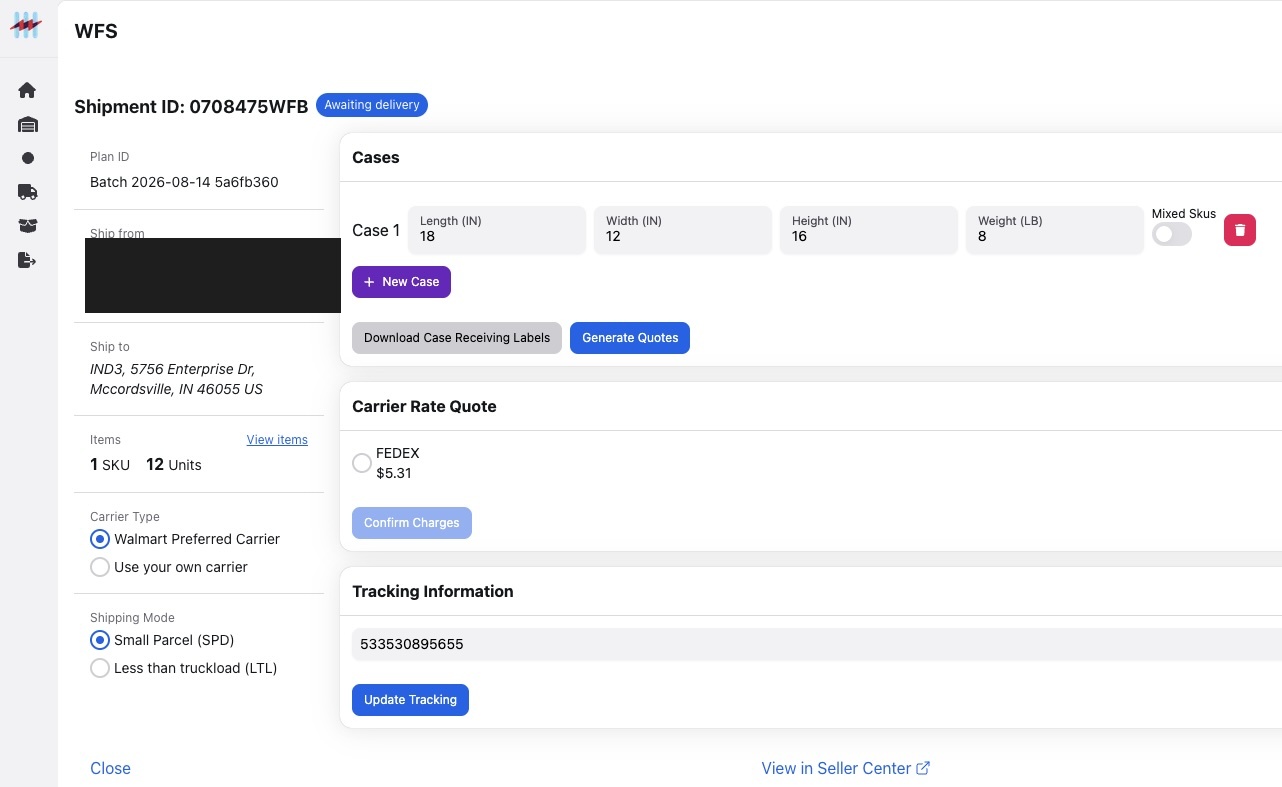
ScanPower runs the whole WFS inbound lifecycle
It does, from preview to bill of lading. The stages are preview, create, carrier rate quote, booking, carrier label, bill of lading, tracking, and cancel: 15 documented endpoints in the WFS Shipment group, reachable with the same bearer token that reaches the Amazon side.
ScanPower mints a Walmart access token from the same credential model that mints the Amazon one, so an ERP, WMS or in-house tool integrates once and addresses both marketplaces. The Walmart group holds 23 endpoints in total: token, feeds, catalog search, item labels, and the WFS shipment lifecycle drawn beside this paragraph.
The same lifecycle is what the workstation walks a packer through. A developer can call it directly, and a 3PL can call it on behalf of a client without ever holding that client’s marketplace login.
Create through cancel matches Walmart’s own documented inbound-order workflow: the WFS API overview.
Before connecting Walmart
Do I need a Walmart Seller Center login to create a WFS shipment in ScanPower?
Not for the day-to-day shipment work. The one-time Walmart authorization is completed in Walmart’s own login flow. After that, WFS batches, plans, destination previews, carrier rate quotes and labels are created in ScanPower.
Can I bulk-upload items into a Walmart WFS batch?
No. ScanPower’s documentation states you cannot do a bulk upload to a Walmart WFS batch currently. Items are added by searching MSKU, GTIN or UPC, one at a time. This is a published limit, not a workaround.
Which ScanPower plan includes Walmart?
All four. The entry plan is named Walmart & Amazon Seller at $79 a month, Enterprise Pro is $199 a month, Enterprise Multi-store is $299 a month for a second store, and 3PL Enterprise is $199 a month plus $20 per active client per month† for up to 50 clients. All four list creating shipments outside of Seller Central and Seller Center, and every plan starts with a 14-day free trial. Compare the four plans.
†Per active client in the billing period. You are only charged if you ship for the client during the billing period.
Can a sub-user set up Walmart in the mobile app?
No. Only the main account can configure the Walmart settings in the ScanPower mobile app. Sub-users can use the feature once the main account has configured it, which means the setup step belongs to the account owner, not the packer.
Does ScanPower print WFS box labels as each box closes?
No, confirmed 2026-08-21. Box receiving labels and shipping labels print from ScanPower for Walmart. The as-you-pack timing, where the box label prints the moment a box is closed, is Amazon FBA pack-later only and does not exist in the Walmart WFS flow.
Fourteen days, on your own WFS shipments
Every plan starts with a 14-day free trial. Authorize Walmart once through Walmart’s own login flow, build one real WFS batch, and run it through Preview Destination, the carrier rate quote and the labels before you decide anything.
Not ready to authorize a Walmart account?
Ask for a walkthrough of the WFS batch and the carrier rate quote first, on a call with a person who works on the product.
Prep software that records every prep charge
ScanPower is prep and ship software for prep centers and 3PLs. You work inside a client’s account from your own login, your packers never hold a client’s seller-portal password, and the per-unit prep charges land on a billing report as the work happens.
The 3PL Enterprise plan is $199 a month plus $20 per active client per month†, up to 50 clients.
How does a prep center run in ScanPower?
Five things: proxy access into every client account, a prep rate card that bills itself, sub-users with roles and per-location permissions, client listing and packing reports, and an API that supports the full process, start to finish.
Client access
One login for your whole book of business.
You log into your own ScanPower account and switch into a client from a dropdown. No client credentials change hands, and an orange bar stays on screen showing whose account you are currently working in. Clients are onboarded through a signup URL branded with your business name, or by granting access from an account they already have.
- Proxy switching from a dropdown
- Branded client signup URL
- Grant access by email
- The client’s ScanPower account is free
- Either party can revoke
Prep billing
The rate card, the tally, and the invoice.
You define a prep matrix of prep types and categories once, then set prep tiers that put a price on each prep type and assign a tier to each client. When you ship for that client the prep charges are tracked automatically from batch and shipment MSKU totals. Ad hoc charges go on at shipment confirmation.
- Prep matrix with prep types and categories
- Per-client prep tiers
- Product-level prep type assignment
- Ad hoc charges
- Billing report by week or month
- Invoices as PDF, Quickbooks, or Stripe
Team and permissions
Who can do what, and where.
Sub-users are created individually or in bulk, each with their own permissions and their own set of ship-from addresses. Roles and permissions per team member are a 3PL Enterprise feature. A packer signs in as themselves, sees only the accounts and locations you assigned, and never sees a marketplace password.
- Roles and permissions per team member
- Per-user ship-from address access
- Bulk sub-user creation
- Sub-user access scoped to a prep client
- Multi-user, multi-workstation
Client reporting and labels
What the client sees.
Client listing and packing reports come with the 3PL plan, alongside custom labels for Sold as Set, Combined Box, and the FNSKU item label. Box labels print as you go, together with FNSKU and pallet labels, on the label stock you already own.
- Client listing and packing reports
- Custom labels for Sold as Set and Combined Box
- FNSKU and expiration labels
- Pallet labels
- Simple pack templates
Integrations and the API
For the 3PL that already runs a WMS.
The 3PL plan includes access to the API. It is 147 endpoints across 16 resource groups covering the Amazon FBA inbound and Walmart WFS shipment lifecycles, 8 webhook events for inbound plan state, and 149 auto-generated tools on the ScanPower MCP server. A dedicated ShipHero integration syncs orders, maps ShipHero SKUs to Amazon MSKUs, imports custom boxes, and pushes completed FBA shipments back as Wholesale Orders with tracking.
- 147 REST endpoints
- 8 inbound-shipment webhook events
- 149 MCP tools
- ShipHero WMS integration
- Purchase orders as objects
Read the developer detail: endpoints, webhooks and the proxy header.
You never hold a client’s seller-portal login
A prep center gets proxy access to a client account instead of the client’s credentials. You pick the client from a dropdown and work as that account. Nothing is shared, nothing is stored on a sticky note, and either party can revoke access without changing a password.
What the proxy model replaces
The alternative most prep centers live with is being invited into the seller’s own portal as a secondary user, one invite per employee, per client. That is an account the client has to create, an email address that has to be new, and a permission set that belongs to the client’s account rather than to your warehouse.
ScanPower inverts it. The relationship is granted once, at the account level, from the client’s side. Your own sub-users then inherit only the prep clients and ship-from locations you gave them.
- No client credentials
- No invite per employee
- An orange bar naming the active account
- Revocable from either side
- The client’s account is free
The same model, in the API
The proxy is not a screen convention. It is a first-class parameter. GET /account returns every client you have proxy access to. GET /api/v2/token accepts an X-Proxy header and returns a bearer token scoped to that client, across all 147 endpoints.
GET /api/v2/token
Authorization: Basic <your_3pl_credentials>
X-Proxy: <client_user_id>
The ID of a user you have proxy access to. If provided, the returned token will allow you to make API calls on behalf of this user.” See the full API surface.
How does ScanPower bill a prep client?
It tallies the work instead of asking you to remember it. Prep tiers hold a per-unit price for each prep type, the charges accrue automatically from batch and shipment MSKU totals as your team preps, ad hoc charges go on at shipment confirmation, and a billing report by week or month consolidates the lot into an invoice.
The five stages, in order
Everything except stage one happens while your team is doing the job it was already doing. Nobody types a line item, and nobody reconstructs a month from a spreadsheet on the fifth.
Prep types can be imported per client by ASIN, so a returning SKU already knows what it costs to prep. Reports export to CSV or XLSX, and the Prep Billing app turns them into invoices delivered as a PDF, through Quickbooks, or through Stripe.
- Prep matrix
- Prep tiers per client
- Automatic per-unit capture
- Ad hoc charges
- Weekly or monthly report
- PDF, Quickbooks, or Stripe
Source: the ScanPower help center article “Prep Center Billing”, and 31 Prep Billing endpoints in the public API. Open the ScanPower help center.
| Charged per unit | Each prep type in your matrix, at that client’s tier price, tallied from batch and shipment MSKU totals |
|---|---|
| Charged per event | Ad hoc charges you add at shipment confirmation |
| Grouped by | SKU, batch or shipment |
| Period | Week or month |
| Export | CSV or XLSX |
| Invoice | PDF, Quickbooks, or Stripe, via the Prep Billing app |
Nine of twelve steps go to a packer
Take one real job, a 40-SKU mixed restock moving LTL in about twelve cartons, and trace it both ways. The step count is the same on both sides: twelve and twelve. What changes is who is allowed to perform them. In Seller Central, none of the twelve. In ScanPower, nine.
For a prep center that is the whole argument. Every step a packer cannot legally perform is a step that queues behind whoever holds the client’s password, and the client’s password is the one thing a prep center should never be asked to keep.
Who is allowed to do the work. All twelve steps need a seller-portal login in Seller Central. In ScanPower, none of the twelve does, and nine of them can be performed by a warehouse worker who has no portal credentials at all.
How long before a box can be labeled. Eight steps in the portal, six in ScanPower — and the six understates it, because in the portal the box label arrives as one PDF for the whole shipment after the carrier is locked, while in ScanPower it prints one box at a time, at the pack station, as the box closes, in the pack-later (LTL) workflow. Two or more pack stations can work the same shipment at once, with pack state pushed live to every station working it, confirmed 2026-08-21.
One job: a 40-SKU mixed restock to FBA, about twelve mixed-SKU cartons moving LTL, packed by two workers at two pack stations, for an account the packers do not own. Read the full twelve-step trace, both columns, with sources.
Your client never pays ScanPower. The client’s account is free and they are not charged by ScanPower. They do still have to complete their own one-time Amazon and Walmart authorizations from their side, in the marketplace’s own login flow.
Nobody on your floor needs a portal password. Some things still happen in the marketplace. Account-level blocks such as AndonCordManager and MerchantConfig surface inside the ScanPower workflow but are resolved in Amazon’s own Performance dashboard, by whoever owns that account.
Your floor runs the job. Your client keeps the password.
What does ScanPower cost for 15 clients?
$499 a month. That is the 3PL Enterprise base of $199, plus $20 for each of the fifteen active clients, which is $300.
What counts as an active client
A client is active in a given month if they generated at least one shipping, box, or product label that month. A client you onboarded but did not prep for is not billed. If you also ship your own inventory through ScanPower, you count as one of your own clients.
†Per active client in the billing period. You are only charged if you ship for the client during the billing period.
Billing is retroactive by one month, so May’s activity appears on June’s bill. That means the number moves with your actual book of business rather than with your hopes for it.
All plans include a 14-day free trial. If you want see a quote for a different client count, or you are already above 50, ask for a quote.
| Line | Qty | Rate | Amount |
|---|---|---|---|
| 3PL Enterprise, base subscription | 1 | $199.00 | $199.00 |
| Active clients | 15 | $20.00 | $300.00 |
| Billed each month | $499.00 | ||
Built on Amazon’s own inbound API, not around it
A prep center is not buying an app, it is buying infrastructure that a warehouse cannot afford to have fail in Q4. ScanPower runs on Amazon’s current Fulfillment Inbound API, handling your client's data securely and efficiently while ensuring they are compliant with prep and ship guidelines.
“We like the ease of creating FBA shipments and printing FNSKU labels!
Trevor, owner @Ozark Fulfillment
If the customer doesn’t have to product in their inventory and we scan it then it won’t populate. This helps if employees are on the wrong client when they scan a product”
When Amazon moved sellers to the new inbound API, ScanPower published a readiness guide for FBA and WFS rather than a status page. Read the readiness guides on the ScanPower blog, or read about the team that has maintained it.
Questions prep centers ask
Can my packers work in a client’s account without the client’s login?
Yes. A prep center is granted proxy access to a client account and switches into it from a dropdown, with an orange bar on screen naming the active account. No client credentials are shared with you or with your staff, and either party can revoke the access.
Does my client have to pay for a ScanPower account?
No. The client’s ScanPower account is free and ScanPower does not charge them. You onboard them through a signup URL branded with your business name, or an existing ScanPower user can grant you access by email.
How do per-unit prep charges get onto the bill?
Automatically. Prep tiers hold a per-unit price for each prep type in your prep matrix, and the Prep Billing Report calculates the charges from batch and shipment MSKU totals as the work is done. Ad hoc charges are added at shipment confirmation.
What counts as an active client for billing?
A client who generated at least one shipping, box, or product label in that month. Clients you did not prep for are not billed. If you ship your own inventory through ScanPower, you count as one client. Billing runs retroactively by one month.
What happens above 50 active clients?
The published $199 plus $20 per client† rate covers up to 50 active clients. Above that, ScanPower quotes it individually. Contact ScanPower for a customized quote.
Already above 50 clients?
More answers
Billing is only half of it. These cover what your pack stations actually do all day, what it costs, and how to drive it from your own system.
Four ScanPower plans
$79 a month, $199 a month, $299 a month for a second store, or $199 a month plus $20 per client per month† if you prep for other people. Plans bill monthly, each with a 14-day free trial. No credit-card required.
All prices in USD. Taxes, VAT and GST are not included and are not calculated at checkout.
Which plan is for me?
3PL Enterprise at $199 plus $20 per client† is for prepping and packing for other people. Walmart & Amazon Seller at $79 is for brands and resellers sending inventory from one location. Enterprise Pro at $199 is for one or more locations, or for the API. Enterprise Multi-store at $299 is Enterprise Pro for a second store, up to two stores total.
3PL Enterprise
- You prep and pack for clients
- You bill clients for prep and storage
- You need roles and permissions for each team member
$199/month, plus $20 per client per month*†
Everything in Enterprise Pro, plus:
- Roles and permissions settings for each team member
- Prep Billing with Stripe and QuickBooks integrations
- Client listing and packing reports
- Team management features
- Simple pack templates
- Custom labels for Sold as Set and Combined Box and FNSKU/item
One exception to “everything in Enterprise Pro”: ScanPower Mobile is not included on this plan.
Start this plan free for 14 daysWalmart & Amazon Seller
- You own a brand or purchase inventory for resale
- You ship from one warehouse location
$79/month
The foundation plan.
- COGS tracking and historical inventory valuation
- Simple P&L inventory reporting
- Seller Snap Integration
- Aura Integration
- Amazon prep guidance
- Retail and online sourcing and listing
- 1 Ship from location, unlimited sub-users
- ScanPower Mobile at no extra cost
Enterprise Pro
- You have one or more locations
- You process large quantities of inventory
- You need MCP or API access for software integrations
$199/month
Everything in Walmart & Amazon Seller, plus:
- Multi-user, multi-workstation support
- Bundle and multipack support
- Custom Prep Instructions
- Real-time updates of packing and listing progress
- Listing and Packing reports
- Supplier profitability reporting
- Flexible workflows
- API for software integrations
Enterprise Multi-store
- You run a second, separate store or seller account
- You want both stores managed under one subscription
$299/month, for up to 2 stores
Everything in Enterprise Pro, plus:
- A second store or seller account on the same subscription
- Limited to 2 stores total; for more, see 3PL Enterprise or contact ScanPower
*For up to 50 clients. Contact us for a customized quote. Client accounts are free for your client: ScanPower does not charge them. The arithmetic, and what counts as an active client, is worked out in words below.
†Per active client in the billing period. You are only charged if you ship for the client during the billing period.
No card to start. The signup form asks for your name, business name, email, a password, a marketplace, a plan and a ship-from address. The trial converts to paid at the end: the card on file is charged on the 15th day.†
Both marketplaces, every plan, and you cancel it yourself. Amazon and Walmart are included in all four plans; neither is an add-on. Canceling is your own responsibility and an emailed request does not count as one, and amounts already paid are not refunded. Read the full Terms of Use.
Frequent deployments. 90 dated releases across 2024–2026, public at the product changelog.
Every feature, by plan
Each plan includes everything in the plan below it. A dash means the feature is exclusive to a higher tier.
| Feature, as published | Walmart & Amazon Seller, $79 | Enterprise Pro, $199 | 3PL Enterprise, $199 +$20 |
|---|---|---|---|
| Create shipments outside of Seller Central and Seller Center | Included | Included | Included |
| Print box labels as you go (plus FNSKU and pallet labels) | Included | Included | Included |
| Listing, labeling, shipping, and packing | Included | Included | Included |
| Touchscreen enabled | Included | Included | Included |
| Amazon prep guidance | Included | Included | Included |
| COGS tracking and historical inventory valuation | Included | Included | N/A |
| Simple P&L inventory reporting | Included | Included | N/A |
| Seller Snap Integration | Included | Included | N/A |
| Aura Integration | Included | Included | N/A |
| Retail and online sourcing and listing | Included | Included | N/A |
| Unlimited sub-users | Included | Included | Included |
| Ship-from locations | 1 | 2+ | 1 |
| Multi-user, multi-workstation support | — | Included | Included |
| Bundle and multipack support | — | Included | Included |
| Flexible workflows | — | Included | Included |
| API for software integrations | — | Included | Included |
| Custom Prep Instructions | — | Included | Included |
| Real-time updates of packing and listing progress | — | Included | Included |
| Listing and Packing reports | — | Included | Included |
| Supplier profitability reporting | — | Included | N/A |
| Roles and permissions settings for each team member | — | Included | Included |
| Prep Billing with Stripe and QuickBooks integrations | — | Included | Included |
| Custom labels for Sold as Set and Combined Box and FNSKU/item | — | Included | Included |
| Simple pack templates | — | Included | Included |
| Team management features | — | Included | Included |
| Client listing and packing reports | — | — | Included |
What does a 3PL with 15 prep clients pay?
$499 a month. The 3PL Enterprise base is $199, each active client adds $20, and 15 active clients is $300, so the invoice reads $499. ScanPower’s own prep-center pricing FAQ works the same arithmetic at ten clients: $199 plus $200 is $399 a month. That rate holds to 50 clients, and above 50 the price is quoted.
| Active clients that month | Base | Client fees | Monthly total |
|---|---|---|---|
| 1 | $199 | $20 | $219 |
| 5 | $199 | $100 | $299 |
| 10 | $199 | $200 | $399 |
| 15 | $199 | $300 | $499 |
| 25 | $199 | $500 | $699 |
| 50 | $199 | $1,000 | $1,199 |
| Above 50 active clients | Quoted | ||
Arithmetic on the two published numbers, $199 and $20. The ten-client row is ScanPower’s own worked example from its prep-center pricing FAQ.
What counts as an active client
The definition that decides the invoice.
An active client is a client that generated either shipping labels, box labels, or product labels that month. Dormant accounts are not charged, so a seasonal client you did not ship for in February does not appear on February’s bill. If you ship your own inventory through ScanPower, you count as an active client.
When the client fees land
Per-client billing is retroactive.
Client fees bill one month behind usage: May usage is billed in June. A month where you onboard six clients shows up on the following invoice, not the current one.
What your clients pay
Nothing, to ScanPower.
Client accounts are free for your client. ScanPower does not charge them. You onboard them through a custom signup URL branded with your business name, or by granting access to an existing ScanPower user by email, and you reach their account through a proxy that needs no additional login credentials.
- Branded client signup URL
- Grant access by email
- Proxy access with no second login
- Sub-user permissions scoped per client
The $20 per client is the prep-billing layer
A billing system, not a seat. When you ship products for a client, the prep charges are tracked automatically against a prep matrix you load once, with per-unit prep tiers assignable per client. ScanPower consolidates those charges into a billing report by week or month and turns it into an invoice.
What the prep billing system does today
Every item below is documented in the ScanPower help center article on prep center billing.
- Load your prep matrix, including pre-defined prep types.
- Assign a pricing tier per client.
- Per-unit prep charges calculated automatically from batch and shipment MSKU totals.
- Ad-hoc charges added at shipment confirmation.
- Prep type assigned per product by batch edit or spreadsheet upload.
- Billing reports generated by week or by month.
- Reports export to CSV and XLSX.
- Invoices out as PDF, Quickbooks, or Stripe.
This is the mechanism the $20 per client per month† pays for. It is also the single hardest question a prep center asks a software vendor: can it bill my clients for the work I actually did.
A prep center does not buy software. It buys an invoice it can send on Friday.
“We trained a team member brand new to Amazon today using the software and they picked it up within an hour! This wouldn’t have been doable [or] as easy…without ScanPower.”
Kal - co-founder @SellerSmart UK
“ScanPower’s process flow helps reduce errors which saves us lots of money by lowering our return rate. … It’s a superior replacement to InventoryLab in nearly every respect.”
Matt Maxwell, owner @CycleCrew
Already a customer? Leave a review on the Amazon Selling Partner Appstore — it's the highest-trust channel for the buyer evaluating ScanPower next.
More pricing questions
How much does ScanPower cost?
ScanPower publishes four plans. Walmart & Amazon Seller is $79 a month. Enterprise Pro is $199 a month. Enterprise Multi-store is $299 a month for a second store. 3PL Enterprise is $199 a month plus $20 per client per month†, for up to 50 clients, with a customized quote above 50. Every plan includes a 14-day free trial.
How much does ScanPower cost for a 3PL with 15 active clients?
$499 a month: the $199 3PL Enterprise base plus 15 active clients at $20 each. ScanPower’s prep-center pricing FAQ works the same arithmetic at ten clients, $199 plus $200, for $399 a month.
What counts as an active client?
An active client is a client that generated either shipping labels, box labels, or product labels that month. Dormant accounts are not charged. Shipping your own inventory through ScanPower counts as an active client. Client billing is retroactive, so May usage is billed in June.
Do I need a credit card to start the free trial?
No. The signup form asks for your name, business name, email, a password, a marketplace, a plan and a ship-from address. There is no card field on it.
Can I cancel, and do I get a refund?
You can cancel, and it is your responsibility to do it yourself: ScanPower’s published policy states that sending an email request for cancellation does not count as a cancellation. Any amounts paid prior to your cancellation are not refunded. The steps are in the ScanPower help center.
Which plans include API access?
Enterprise Pro, Enterprise Multi-store, and 3PL Enterprise. The published plan lists name “API for software integrations” on Enterprise Pro and 3PL Enterprise, and Enterprise Multi-store inherits it as an Enterprise Pro plan for a second store; it is not on the $79 plan. The ScanPower API page covers what the API and the MCP server actually expose.
Fourteen days, upgrade your shipment workflow
Pick a plan, sign up with no card, authorize ScanPower against your Amazon account, install your printer software, and run a real shipment through it. If it does not fit your pack station in two weeks, it will not fit it in two months.
Every plan starts the same way and every plan gets the same 14 days. Start on the plan you think is yours: the comparison above is the fastest way to be sure, and the plan can be discussed with a person before you commit a year of spend to it.
Running more than 50 clients, or not sure which $199 is yours?
Above 50 active clients the price is quoted rather than published, and the two $199 plans split on one question: do you prep for other people, or only for yourself.
The signup form has no credit-card field, so the trial and the conversation can happen in either order.
Build FBA and WFS shipments through the ScanPower API
Everything a person does at a ScanPower pack station your integration can do too. Create the Amazon inbound shipment, create the Walmart WFS shipment, record what went in each box, print the labels, bill the client, and get told the moment anything changes. You write the integration. ScanPower does the marketplace part.
What can you build with the API?
All of it: An inbound shipment to Amazon, an inbound shipment to Walmart WFS, electronic box contents, a prep-fee invoice for a client, a printable item label, and updates to inventory in two-marketplaces. Endpoints not a roadmap.
Create an Amazon FBA inbound shipment
77 endpoints. The largest group in the API.
These wrap Amazon’s own Selling Partner API Fulfillment Inbound v2024-03-20 lifecycle end to end, and each wrapper’s description in the spec links straight to Amazon’s reference doc for the operation it wraps. You are not building against a guess at what Amazon does; you are building against Amazon’s contract, exposed with ScanPower authentication.
- Create an inbound plan
- Generate and confirm placement options
- Set packing information
- Generate and confirm packing options
- Generate and confirm transportation options
- Delivery windows
- Self-ship appointment slots
- Tracking
- Bill of lading and labels
- Item compliance and prep detail
Create a Walmart WFS shipment
15 WFS Shipment endpoints, inside 23 Walmart endpoints overall.
The Walmart side is structurally the mirror of the Amazon side, behind the same bearer token: preview a shipment, create it, quote a carrier rate, book it, pull the carrier label and the bill of lading, track it, cancel it. The wider Walmart group adds the token endpoint, feeds, catalog search and item labels.
- Preview
- Create
- Carrier rate quote
- Booking
- Carrier label
- Bill of lading
- Tracking
- Cancel
Send box contents electronically
GET /api/v3/plan/{plan_id}/submit-boxes
Amazon accepts box content in exactly three ways: populated electronically
(BOX_CONTENT_PROVIDED), read off a 2D barcode affixed to each box
(BARCODE_2D), or keyed by Amazon during receiving
(MANUAL_PROCESS). This endpoint, summarized in the spec as
“Send packed box information to Amazon”, wraps
setPackingInformation and takes the first route. When the contents go over
the wire, no 2D label has to be printed and applied to that box at all.
Bill your prep clients
31 Prep Billing endpoints. The most 3PL-specific group in the API.
A full prep-fee rules engine, addressable end to end: define prep matrices, define prep tiers with a price and a currency code per prep type, categorize the matrix, map each client to a tier, override at the product level, post ad-hoc charges at the shipment level, then pull a date-ranged billing report per client and hand it to your accounting system.
- Prep matrices
- Prep tiers
- Matrix categories
- Client tier mappings
- Product-level overrides
- Shipment-level ad-hoc charges
- Date-ranged billing report, GET and POST
Print a label without designing one
3 Printing endpoints.
POST /api/v3/label/item takes a label width, a label height and an array of
items. Send Accept: application/pdf and it returns the raw PDF, ready for the
printer. No template design on your side. Amazon’s own
createMarketplaceItemLabels and getLabels are wrapped alongside
it for FNSKU labels specifically.
Push one inventory truth to both marketplaces
6 Inventory endpoints.
GET /api/v3/inventory and PATCH /api/v3/inventory provide
RESTful inventory access through ScanPower. The v3 API also exposes the Amazon and
Walmart operations needed for marketplace workflows, all documented in the same OpenAPI
specification.
How big is the API, exactly?
The v3 API documents 292 REST operations across 185 paths in an OpenAPI 3.2 specification. It covers ScanPower resources alongside Amazon and Walmart marketplace operations. The webhook and MCP integrations use this same API contract.
| Measure | Count | Detail |
|---|---|---|
| Documented REST operations | 292 | Across 185 paths in the v3 OpenAPI specification |
| Documented webhook lifecycle events | 8 | Each carries its own signing secret |
How do you authenticate?
Basic authentication to GET /api/v3/auth returns a bearer
token, and the REST endpoints use that token for authorization. If you are a 3PL, add
X-Proxy to request a token scoped to a client you already have proxy access to;
no client ever hands you a Seller Central login.
Step one: mint a bearer token
Send your ScanPower credentials as Basic authentication to the v3 auth endpoint. Every other call in the API carries the token it returns.
GET /api/v3/auth
Host: beta.scanpower.com
Authorization: Basic <your ScanPower credentials>
GET /api/v3/webhook
Host: beta.scanpower.com
Authorization: Bearer <token>Step two: act on behalf of one client
The v3 auth endpoint accepts an optional X-Proxy header to return a token
scoped to a client you can access. GET /api/v3/clients returns the client
accounts you can access, so you can loop through them.
GET /api/v3/auth
Authorization: Basic <3pl_credentials>
X-Proxy: <client_user_id>
One credential set, one header, and a scoped token that acts as that specific client across the v3 REST API: plans, prep billing, labels, everything. There is no separate OAuth grant per client and no separate app registration per client.
Three regional base URLs
beta.scanpower.comfor us-eastwest.scanpower.comfor us-westuk.scanpower.comfor eu-west
The specification and the reference
The v3 OpenAPI 3.2 specification is published at beta.scanpower.com/api/v3/doc/openapi.json, and the rendered reference is at beta.scanpower.com/api/v3/doc.
What do the webhooks tell you?
Where every inbound plan is, without polling for it. Eight events walk the
Amazon inbound plan through its state machine, from PLANNED to
TRANSPORTATION_CONFIRMED, and name the three error states Amazon can return.
Every event carries a user_id, so one consumer routes every client.
| Event | Status it reports | What the payload carries |
|---|---|---|
| Inbound Plan Created | PLANNED | Plan id and name, inbound plan id, SKU count, unit count, errors, items. |
| Placement Options Generated | CONFIRMING_PLACEMENT or PLACEMENT_ERROR | Placement option count, shipment count, split count, the full option list. |
| Placement Option Accepted | PLACEMENT_CONFIRMED or PLACEMENT_ERROR | Shipment confirmation ids, destinations, SKU and unit breakdown per shipment. |
| Packing Option Accepted | PACKING | Packing option count and the full Amazon packing option objects. |
| Packing Information Submitted | PACKED or PACK_ERROR | Package groupings: the box contents and box structure. |
| Transportation Options Generated | CONFIRMING_TRANSPORTATION or TRANSPORTATION_ERROR | Carrier, quote, shipping mode and solution, transportation option ids. |
| Transportation Option Accepted | TRANSPORTATION_CONFIRMED or TRANSPORTATION_ERROR | The transportation selections. |
| Plan Canceled | PLAN_CANCELLED | The plan summary at cancellation. |
A real payload
Every event carries status, user_id and a summary
block naming the plan and the inbound plan, so a single consumer can route all events for
every client by user_id without polling anything.
{
  "status": "PLACEMENT_CONFIRMED",
  "user_id": "xyz",
  "summary": {
    "plan_id": "123",
    "plan_name": "xyz",
    "inbound_plan_id": "xyz",
    "shipments": [
      { "shipment_confirmation_id": "xyz",
        "destination": {}, "skus": 0, "units": 0 }
    ]
  },
  "placement_option": {}
}
Managing a subscription
Five endpoints, and every hook record carries its own secret_key for HMAC
verification. You can rotate that secret and you can fire a test event before you go live,
which is the difference between a webhook system and a callback bolted on afterward.
GET    /api/v3/webhook
PUT    /api/v3/webhook/{name}
PUT    /api/v3/webhook/{name}/secret_key
PUT    /api/v3/webhook/{name}/test
DELETE /api/v3/webhook/{name}
What that buys you: a board showing every inbound plan by status in real time, and an
alert the instant Amazon returns PLACEMENT_ERROR or
TRANSPORTATION_ERROR, instead of a person finding out at the next login.
ScanPower is addressable by AI agents
A Model Context Protocol server runs in production at
mcp3.scanpower.com/mcp. It exposes ScanPower API capabilities to MCP-compatible
clients, using the v3 OpenAPI specification as its API contract.
The mechanism is the part worth reading. The tools are not written by hand.
The tool catalog is generated, not maintained
The tool catalog is built from the v3 OpenAPI specification. Its operation names, descriptions, parameters and schemas keep the agent-facing tools aligned with the documented REST API.
The API contract is shared: when the v3 specification changes, the MCP integration can stay aligned without maintaining a separate description of each supported operation.
The server is proxy-aware at the protocol level too. A proxy_user_id
argument on any tool call sets the active proxy user before dispatch, and the
proxy-user listing is special-cased to return a numbered, selectable client list for the
calling agent to choose from.
How a client connects
Connection uses OAuth 2.1 with PKCE (S256 code challenges) and Dynamic Client Registration, alongside RFC 9728 protected-resource metadata. Dynamic Client Registration is what lets an MCP client add ScanPower as a custom connector with no manual credential exchange. The protected route correctly returns 401 without a token.
- Authorization server metadata published
- Protected resource metadata published
- PKCE, S256
- Dynamic Client Registration
Four resources ship with it
Beyond the tools, the server publishes MCP resources, including step-by-step procedures written for an agent to follow rather than for a person to read.
- A 13-step pack-first flow for small parcel and LTL
- A 14-step pack-later flow for LTL pallets
- An item-label parameter reference
- The v3 OpenAPI specification, fetchable on demand
Which plans include API access?
API access is available on the Enterprise Pro, Enterprise Multi-store and 3PL Enterprise plans. We make it easy to integrate your ERP, OMS, WMS, or custom app.
Developer questions
Does ScanPower have a public API?
Yes. 147 documented REST endpoints across 16 resource groups, published as an OpenAPI 3.1 specification with a rendered reference. It covers the Amazon Fulfillment Inbound lifecycle, the Walmart WFS shipment lifecycle, prep billing, printing, inventory, reporting and webhooks.
Can one integration act for multiple seller accounts?
Yes. Send an X-Proxy header naming a client you hold
proxy access to when you request a token, and the token you get back makes calls on
behalf of that client. One credential set covers every account you manage, and no client
hands over a Seller Central login.
Does ScanPower publish webhooks?
Yes. Eight inbound-plan lifecycle events, each carrying a status, a user id and a summary block. Subscriptions are managed through five endpoints, every hook record has its own signing secret you can rotate, and you can fire a test event before going live.
Is there an MCP server for AI agents?
Yes. mcp3.scanpower.com/mcp runs in production with OAuth 2.1,
PKCE and Dynamic Client Registration. Its tool catalog is generated at startup from the
OpenAPI specification rather than written by hand, so it stays in step with the API
automatically.
Is the API included on the $79 plan?
No. The published feature lists put API access on Enterprise Pro ($199 a month), Enterprise Multi-store ($299 a month for a second store), and 3PL Enterprise ($199 a month plus $20 per client).
Build against it for fourteen days
The trial is 14 days and it includes the API on the plans that carry it. Sign up, mint a bearer token, and call a real endpoint against your own account the same day. Nothing about the integration path is gated behind a sales conversation, and the specification is readable before you sign up at all.
Start the trial on a plan that includes API access, mint a token against
GET /api/v2/token, and call a real endpoint against your own account on day
one. If you are a 3PL, add the X-Proxy header and you are already running
multi-client.
Integrating an existing ERP, WMS or OMS?
That conversation is worth having before you write code, because the proxy-user model and the prep-billing engine change what you need to build on your side.
Create FBA shipments without opening Seller Central
Send to Amazon asks you to commit box contents before you confirm shipping, and the box label only appears at Step 3, after that. ScanPower’s pack-later flow prints each box’s FBA and 2D box-content label at the pack station as you close the box, and your staff never sign in to Seller Central.
Same job, same twelve steps, different order and a different person doing them. This page walks one 40-SKU restock both ways, counts what changes, and lists what stays Amazon’s no matter which tool you use.
What changes is the order of the work
ScanPower runs the same Amazon inbound API that Send to Amazon runs, so the rules are identical. What differs is when the box label exists and who is standing there when it prints. In the portal the label is downstream of the carrier decision. In ScanPower it is downstream of the tape gun.
What Amazon asks for, and when
Amazon’s own step names, in Amazon’s own order.
The Send to Amazon workflow is published as a fixed sequence, and box contents are declared at Step 1b, before shipping is confirmed at Step 2. Amazon states it plainly: pack single-SKU and mixed-SKU boxes before you create shipments and update quantities as you pack, before you confirm your shipment destinations.
- Step 1: Choose inventory to send
- Step 1b: Pack individual units
- Step 2: Confirm shipping
- Step 3: Print box labels
- Step 4: Confirm carrier and pallet information, for pallet shipments
- Final step: Tracking details
Where Amazon is flexible
Stated first, because it is true and it is usually left out.
Amazon does offer a box-later path, in its own words: “Follow steps best suited to your operations by packing boxes ahead of shipment creation or packing boxes after shipment creation.” Amazon also lets you avoid typing box contents entirely, three ways: populate them electronically, affix a 2D barcode to each box, or pay Amazon a fee to key the contents during receiving.
So pack-later on its own is not the difference, and this page does not claim it is. The difference is that both of Amazon’s box-later routes still produce the box label after shipping is confirmed, in the portal, to whoever holds the login.
The freeze point
Amazon Selling Partner API documentation, Fulfillment Inbound API.
Amazon’s developer documentation is explicit: “You cannot provide packing information using Send to Amazon after confirming placement options.” Change what is in a box after placement options have been generated and you must generate placement options again before confirming one. Discard the packing information entirely and you start a new inbound plan.
That is the real cost of committing data before the physical work is done: the correction is not a keystroke, it is a re-plan.
What ScanPower moves
ScanPower help center: Prep & Ship packing and printing workflows.
In the pack-later workflow, named “Provide box contents after generating shipments (LTL only)”, placement is already confirmed before packing starts, so the shipment IDs exist. ScanPower renders the FBA box label and the 2D box-content label locally, at the pack station, the instant a box is closed: one box at a time, or all boxes at once, and again at Step 5 after the transportation option is confirmed.
The box contents are captured by scanning units into boxes, not typed into a grid. The box template fills in dimensions and weight, the next box inherits the last box’s weight and dimensions, a sound confirms each unit packed, and a warning fires if a box side exceeds the limit you set. The physical act is the data entry.
The same API underneath
ScanPower is a thin wrapper over Fulfillment Inbound v2024-03-20.
ScanPower cannot break Amazon’s rules and does not try to. It calls the same ordered
operations any Send to Amazon session calls. Box contents go in at
setPackingInformation. Amazon’s box labels come out at getLabels,
downstream of confirmed transportation. ScanPower’s own box label does not wait for that
call.
createInboundPlan
  → generatePackingOptions → confirmPackingOption
  → setPackingInformation          // box contents go in here
  → generatePlacementOptions → confirmPlacementOption
  → generateTransportationOptions → confirmTransportationOptions
  → getLabels                      // Amazon’s box labels come out here
The same 40-SKU restock, both ways
Twelve steps in Seller Central, twelve steps in ScanPower. ScanPower is not fewer steps and this page does not claim it is. Twelve of the twelve portal steps need a seller login and none of them can be handed to a warehouse worker. Nine of the twelve ScanPower steps can.
One real job: a 40-SKU mixed restock to FBA, about twelve mixed-SKU cartons moving LTL on a pallet, packed by two people at two pack stations, for an account those two people do not own. Read the left column first. It is the status quo.
In Amazon Seller Central (Send to Amazon)
12 steps. Every one of them behind a seller-portal login.
- Sign in to Seller CentralAccount owner, or a secondary user you invited.
- Manage Inventory: confirm all 40 SKUs are FBAConvert any that are not.
- Send to Amazon Step 1: choose inventory, set quantities
- Set prep, label, ship-from and marketplace defaults
- Print FNSKU item labels from the workflow
- Step 1b: declare what goes in every boxSKU, quantity, box, weight, dimensions.
- Review Amazon’s placement options and shipment splits
- Step 2: Confirm shipping (placement, carrier, pallets)
- Step 3: Print box labelsThe first moment a box label exists.
- Step 4: confirm carrier and pallet information
- Final step: upload tracking, or the BOL for LTL
- Book the delivery appointment in Carrier Central
Steps and step names from Amazon’s Beginner’s guide to Send to Amazon, last updated 6 June 2024, and Amazon’s Selling Partner API documentation for the Fulfillment Inbound API.
In ScanPower
12 steps in the pack-later (LTL) workflow. Nine of them taggable to a packer with no portal credentials.
- Packer signs in to ScanPower as a sub-userpackerTheir permissions, their ship-from addresses.
- (3PL) Proxy into the client account from a dropdownpackerNo client credentials change hands.
- Build the batch: scan the SKUs, or import thempackerInventory, buylist, spreadsheet, or a received purchase order.
- Item and expiration labels print on scan, at the pack stationpackerDirect to the Zebra, DYMO or Rollo.
- Step 1: Confirm inventory to sendpackerAmazon’s item-level errors surface here, before you pack.
- Choose the pack-later workflow, generate the shipments“Provide box contents after generating shipments (LTL only)”.
- Step 3: Pack. Scan units into the boxpackerThe box template fills in dimensions and weight.
- Close the box, print that box’s label right therepackerFBA, 2D box content, both, or one unified label. No carrier chosen yet.
- Repeat for all 12 boxes, on two pack stations at oncepackerBoth packers on the same live pack state, confirmed 2026-08-21.
- Step 4: Confirm transportation, adjust quantitiesWithin Amazon’s 5% or 6-unit rule, without leaving the app.
- (3PL) Ad-hoc charges post at shipment confirmationpackerPer-unit prep is already accruing to the billing report.
- Buy partnered shipping, or enter your own trackingStep 5 prints Amazon’s box labels too, if you want them.
Steps from the ScanPower help center: Prep & Ship packing and printing workflows, pack-later (LTL) workflow.
| Measure | Seller Central | ScanPower |
|---|---|---|
| Steps in the job | 12 | 12 |
| Steps that need a seller-portal login | 12 | 0 |
| Steps a warehouse worker can do without portal credentials | 0 | 9 |
| Steps before the first box label exists | 8 | 6 |
The step counts are the same, and that is stated on purpose: ScanPower is not fewer steps. The box label appears at Seller Central step 9, so eight rows precede it on the left. On the right, a seller working their own account skips ScanPower step 2 (the 3PL proxy step), so the box label appears after six. The three ScanPower steps not tagged “packer” are generating the shipments, confirming transportation, and buying the carrier.
The shipment follows the packing. Not the other way around.
Where the box label comes from
In ScanPower the box label is generated locally against a shipment that already exists, so it can print at the pack station the moment a box is closed. In Send to Amazon the box label is a Step 3 document, downloaded as a file after shipping is confirmed and then matched to the boxes by hand.
Print FBA box labels as you pack
The setting block is named “ScanPower-generated Box Labels”, and its Box Label Type control has four values. You choose what a closed box gets, then print that one box, or every box in the shipment. Pack-later (LTL) workflow only, confirmed 2026-08-21.
- 2D Barcode
- FBA Box
- Both
- Unified, one label carrying both
The same settings block carries Include SKU, Include FNSKU Barcode, Include “Sold As Set”, Exclude Ship From, single-SKU box handling, and portrait or landscape orientation. The quick setting that turns the combined label on is named “Unified FBA + 2D”.
Send the box contents, print no 2D label at all
Why a label you never print is the cheapest label.
Amazon accepts box content three ways: populated electronically, a 2D barcode affixed to each
box, or a fee paid to Amazon to key the contents during receiving. ScanPower sends them over
the wire, through POST /api/batch/{batch_id}/submit_boxes, which wraps
Amazon’s setPackingInformation. When the contents transmit, that box needs no
2D label printed, applied or matched.
Direct to the thermal printer, no file round trip
The pack station hardware ScanPower drives.
Item labels, expiration labels, box labels and pallet labels print straight to the printer through QZ Tray on Mac and Windows, with no PDF to open, save or match. Zebra ZPL direct printing is documented for the ZP 450, GK 420d and GX 420d, alongside direct printing on DYMO and Rollo.
- 2.25 × 1.25 in, 57 × 32 mm, recommended
- 3 × 1 in
- DYMO 30334, 30336, 30252 and 30321
- 30-up sheet labels
What you still open Seller Central for
Seven things, and they are account-level rather than shipment-level: your FBA barcode and commingling preference, storage limits and your Inventory Performance Index, Partnered Carrier terms, some catalog repairs, account health and hazmat review, LTL and FTL delivery appointments in Carrier Central, and authorizing ScanPower to your account in the first place.
The list, in full
ScanPower creates, preps, packs, labels and ships. These stay Amazon’s, and always will:
- Your FBA barcode and commingling preference, under Settings → Fulfillment by Amazon.
- Storage limits and your Inventory Performance Index.
- Accepting Partnered Carrier and carrier terms.
- Some catalog repairs: a UPC that maps to more than one ASIN, or a missing UPC on a listing.
- Account health, compliance blocks, and hazmat review.
- Booking LTL and FTL delivery appointments in Carrier Central.
- Authorizing ScanPower to your Amazon account, and re-authorizing it when Amazon expires it.
Every step that touches a unit or a box happens in ScanPower. The carrier appointment, and the account-level settings above, stay in Amazon’s windows.
Amazon’s developer documentation states: “Retrieving carton labels with
getLabels does not change the shipment status to ready_to_ship. For a
shipment status to become ready_to_ship, you must generate labels on Send to
Amazon.” Confirmed: an API-created ScanPower shipment does not need a Seller Central visit
to reach ready_to_ship, so the portal-free claim above stands without a
qualifier.
Questions about shipping without the portal
Five questions this page is built to answer: what still needs Seller Central, when a box label can print, what the pack-later workflow is, whether two pack stations can pack one shipment, and how a prep center packs for you without holding your password.
Do I still need Seller Central if I use ScanPower?
You still use Seller Central for account-level settings: your FBA barcode and commingling preference, storage limits and your Inventory Performance Index, accepting Partnered Carrier terms, some catalog repairs, account health, and booking LTL delivery appointments in Carrier Central. You do not need it to create, prep, pack, label and ship a shipment, and your warehouse staff never sign in.
Can I print FBA box labels before I finish packing?
Yes, in the pack-later workflow. Box labels print in the Pack step, one box at a time as each box is closed: an FBA box label, a 2D box-content label, both, or one unified label carrying both. You can also print them all at once later, after transportation is confirmed. In Send to Amazon, box labels come at Step 3, after you confirm shipping.
What is the pack-later workflow, and when can I use it?
Pack later means providing box contents after generating shipments. You create the shipment first, then pack and declare box contents at the pack station. Amazon offers this path for LTL, which is why ScanPower names the workflow Provide box contents after generating shipments (LTL only). For small parcel, box contents are provided up front. The workflow is chosen per batch.
Can two people pack the same shipment at the same time?
Yes. The Enterprise Pro and 3PL Enterprise plans support multi-user, multi-workstation packing with real-time updates across workstations, so two pack stations can pack one shipment. Each packer signs in as a sub-user with their own permissions and their own ship-from addresses.
How does a prep center pack for me without my Seller Central password?
Your prep center signs in to their own ScanPower account and proxies into yours from a dropdown. No credentials change hands, and an orange bar always shows whose account they are working in. You grant access from your account page, and either side can revoke it. The ScanPower account your prep center creates for you is free.
Fourteen days, on your own shipments
Every plan has a 14-day free trial, and plans start at $79 a month. The honest test is the one this page describes: run your next restock through ScanPower and see where the box label shows up.
Connect the account, build one batch, pack one box, and watch the label print before you have chosen a carrier. If that changes nothing about your day, you have your answer in an afternoon.
Want to see the trace on your own SKUs first?
A walkthrough is the lower-commitment version: no account connection, and you can ask the questions in the notes above out loud.
Pricing, tier by tier, is on the pricing page.
After the comparison
The twelve steps are the argument. These are the pages where the argument is priced, specialized, or handed to a prep center.
Frequently Asked Questions
How much does ScanPower cost?
ScanPower publishes four plans, billed monthly, each starting with a 14-day free trial. Walmart & Amazon Seller is $79 a month. Enterprise Pro is $199 a month. Enterprise Multi-store is $299 a month for a second store. 3PL Enterprise is $199 a month plus $20 per active client per month†, for up to 50 clients, with custom quotes above 50.
What do the four ScanPower plans cost?
ScanPower publishes four plans, all billed monthly with a 14-day free trial. Walmart & Amazon Seller is $79 a month for small and medium sellers, and includes one ship-from location, unlimited sub-users, COGS tracking and historical inventory valuation. Enterprise Pro is $199 a month and adds multi-user, multi-workstation support, custom prep instructions, supplier profitability reporting, and API access. Enterprise Multi-store is $299 a month for a second store, limited to 2 stores total. 3PL Enterprise is $199 a month plus $20 per active client per month† for up to 50 clients, and adds roles and permissions for each team member, team management, and client listing and packing reports. Above 50 active clients, ScanPower quotes custom pricing.
How do I know which ScanPower plan is right for me?
Choose Walmart & Amazon Seller at $79 a month if you resell on Amazon or Walmart from one ship-from location and want easier FBA and WFS shipments plus COGS tracking. Choose Enterprise Pro at $199 a month if you run more than one workstation, need custom prep instructions and supplier profitability reporting, or need the API. Choose 3PL Enterprise at $199 a month plus $20 per active client† if you prep and pack for clients other than yourself and need roles, permissions, and per-client listing and packing reports.
What counts as an active client on the 3PL plan?
An active client is a client that generated at least one shipping label, box label or product label in that month. Dormant client accounts are not billed. A 3PL that also ships its own inventory counts itself as an active client. If one client is served by more than one of your prep locations, you are billed once, for the location you ship from. So a 3PL with 10 active clients pays $399 a month: $199 base plus $200 in client fees.
†Per active client in the billing period. You are only charged if you ship for the client during the billing period.
Is there a free trial, and do I need a credit card?
Every plan starts with a 14-day free trial, and you choose your plan at signup rather than after the trial ends. The signup form has no credit-card field: it asks for a marketplace, a plan, your name, your business name, an email, a password and a ship-from address. It also carries a live chat window, so a question part-way through does not mean leaving the form. The trial converts to a paid subscription on its own: ScanPower’s Terms of Use state the card on file is charged on the 15th day.
Pending Paul: whether an unused trial is still charged The card is collected via a reminder email sent to the customer during the trial, not at signup. Still unstated: whether a trial that never printed a label is still charged on day 15, so this answer stays held out of the page’s structured data.
How do I cancel, and do I get a refund?
You cancel your own subscription from inside your ScanPower account. The published policy states that it is your responsibility to cancel, that sending an email request does not count as a cancellation, and that amounts already paid are not refunded.
The full tier-by-tier feature lists, the 3PL arithmetic, and the custom quote above 50 clients live on the pricing page.
Where can I sell with ScanPower?
On Amazon and on Walmart Marketplace, including Walmart Fulfillment Services, across 12 marketplaces. ScanPower connects to Amazon through the Selling Partner API.
What marketplaces does ScanPower support?
ScanPower supports Amazon and Walmart Marketplace, including WFS (US only), across 12 marketplaces: United States, Canada, Mexico, United Kingdom, Germany, France, Ireland, Italy, Spain, Poland, Australia and Japan.
Does ScanPower create Walmart WFS shipments as well as Amazon FBA shipments?
Yes. ScanPower creates Amazon FBA inbound shipments and Walmart WFS shipments from the same workstation, and it also creates Walmart seller-fulfilled listings. One documented limitation, stated here rather than discovered later: you cannot bulk-upload items into a Walmart WFS batch today, so WFS batch items are added one at a time.
Do I have to log in to Seller Central or Seller Center?
No. ScanPower creates, preps, labels, packs and ships without your staff signing in to a seller portal. You still use Seller Central for the account-level settings that are Amazon’s alone: your FBA barcode and commingling preference, storage limits and your Inventory Performance Index, accepting Partnered Carrier terms, some catalog repairs, account health and hazmat reviews, booking LTL and FTL delivery appointments in Carrier Central, and authorizing ScanPower to your account in the first place.
Does ScanPower work for wholesale sellers, or only for arbitrage?
Both. You can scan or type an ASIN, UPC, ISBN, MSKU or title, import from inventory, import from a buylist, import an .xlsx spreadsheet, or import received items from a purchase order, which is the wholesale path and is available on the Enterprise Pro and prep-center plans. Retail and online sourcing and listing are included on the $79 plan, and the buylist records cost, source, supplier, condition, expiration date and prep notes at the moment of purchase.
The step-by-step trace of a shipment built without a portal login is on the Seller Central comparison page. The Walmart flow has its own page: Walmart WFS shipment software.
What hardware do I need at the pack station?
A thermal label printer and a barcode scanner. ScanPower prints to Dymo, Zebra and Rollo printers. Contact us for other models and capabilities.
What printers work with ScanPower?
ScanPower prints directly to the DYMO 450 through the DYMO Connect web service, and to Zebra ZP450, GK420d and GX420d using ZPL, and to Rollo, through QZ Tray. The Zebra LP 2844 is also supported. Direct printing skips the operating-system print dialog, which is the difference between one click and hundreds on a large batch. Any other printer works through a PDF generated in a new tab. For a DYMO 450, ScanPower recommends 30334 label stock, and also supports 30336, 30252 and 30321.
Can ScanPower print box labels while I pack?
Yes, in the pack-later (LTL) workflow, confirmed 2026-08-21 — not in the pack-first/SPD flow. ScanPower prints an FBA box label, a 2D box-content label, both, or a single unified label carrying both, one box at a time as each box is closed. The box label type is a setting with four values: 2D Barcode, FBA Box, Both, or Unified. Alongside it sit Include SKU, Include FNSKU Barcode and Include Sold As Set.
What scanners and mobile hardware work with ScanPower?
ScanPower Mobile pairs with KDC scanners, the Unitech MS910, SerialIO scanners and ring scanners. The desktop workstation is scanner and touchscreen enabled, so a packer can drive a batch from a scan gun or from a touchscreen at the pack station without a keyboard.
Is there a ScanPower mobile app, and which plans include it?
Yes. ScanPower Mobile is published on the Google Play Store and the Apple App Store, with a browser version at mobile.scanpower.com. It is the sourcing tool: scan an item in a store, check brand, category and item gating live against your own selling account rather than a static list, read Hazmat status from Amazon, and write cost, source, condition and prep notes straight into the buylist at the moment of purchase. It is included at no extra cost with Walmart & Amazon Seller and Enterprise Pro. 3PL Enterprise does not include it, confirmed 2026-08-21.
- One 4 × 6 label, doing up to three jobs.
- Always the FBA box label and the 2D box content.
- Plus the FNSKU item label, when the box holds one SKU.
- Printed at the pack station, the moment the box is closed.
Printer setup guides, label stock and the 30-up sheet option are documented in the ScanPower help center.
Can I get my data out of ScanPower?
Yes. Prep billing reports export as CSV or XLSX, sales reports download from the app at any time, and the REST API reads the same records. The published terms retain sales and settlement data for the previous and current fiscal years, and put the backup in your hands.
What can I export, and how long is my data kept?
Prep billing reports export as CSV or XLSX, by week or month and by SKU, batch or shipment, for a spreadsheet or for an outside invoicing system. Sales reports download from the app at any time, and the REST API reads the same records on a schedule if an integrator would rather pull them.
ScanPower’s terms state that it retains sales data and settlement-report data for the previous and current fiscal years, and that sales data can be backed up by the user at any time by downloading results from the Sales reports.
Can I bring my history and my open shipment plans in from another system?
Yes. ScanPower uploads historical FBA and MFN inventory cost and sales data from a spreadsheet export, so COGS and profitability are not starting from zero on the first day. It also imports a batch or shipment plan created outside ScanPower, imports items from an .xlsx spreadsheet, imports received items from a purchase order, and bulk converts MFN listings to FBA through an uploaded feed.
Does ScanPower integrate with the software I already run?
ScanPower has documented integrations with the Aura and Seller Snap repricers, with ShipHero for warehouse management, and a Google Sheets add-on for importing online arbitrage and wholesale buys. The ShipHero integration runs both ways: associate ShipHero customers with ScanPower prep clients, push and pull orders into prep workflows, map ShipHero SKUs to Amazon MSKUs, and send completed FBA shipments back as wholesale orders with tracking.
What REPORT computes, and how COGS is accounted, is covered on the Amazon prep and ship page.
Who on my team can use ScanPower?
Everyone. The $79 plan includes unlimited sub-users and one ship-from location. Enterprise Pro and 3PL Enterprise add multi-user, multi-workstation support, and 3PL Enterprise adds roles and permissions for each team member. No packer needs a seller-portal login.
How many people can use one ScanPower account?
The Walmart & Amazon Seller plan at $79 a month includes unlimited sub-users and one ship-from location. Enterprise Pro and 3PL Enterprise add multi-user, multi-workstation support, so more than one pack station can work at once. 3PL Enterprise adds roles and permissions settings for each team member, plus team management features. A sub-user signs in to ScanPower with their own credentials and never holds a seller-portal login.
How does a prep center pack for me without my seller-portal password?
Your prep center signs in to its own ScanPower account and proxies into yours from a dropdown, so no credentials change hands and a visible bar always shows whose account is being worked in. You grant the access from your account page and either side can revoke it. The same mechanism exists in the API as an X-Proxy header, which scopes a token to one client across all 147 endpoints.
Does ScanPower have an API and webhooks?
Yes. The REST API publishes 147 endpoints across 16 resource groups, with regional base URLs for US East, US West and EU West. Eight webhook events cover the Amazon inbound shipment lifecycle, from PLANNED through TRANSPORTATION_CONFIRMED and the two error states, so an ERP or WMS reacts instead of polling. ScanPower also runs an MCP server whose 149 tools are generated from the same specification as the API. API access is on the Enterprise Pro and 3PL Enterprise plans.
How do I reach ScanPower support, and how fast is the answer?
Support is reached from the Fin support widget inside the application and through the help center at help.scanpower.com, which carries more than 170 articles and a working search. ScanPower’s stated position is that a knowledgeable person answers, not a chatbot. The published support address is support@scanpower.com. ScanPower does not publish a guaranteed response time or support hours.
Proxy access, prep billing and per-client reporting are covered on the 3PL and prep center page. Endpoints, payloads and the MCP tool list are on the ScanPower API page.
Ask the question this page missed
Two ways forward. Start the 14-day free trial and answer the fit question on your own shipments, or send the question to a person and get a written answer before you connect an account. Neither one costs anything.
The trial runs for 14 days on the plan you pick at signup, on your own inventory, with your own printers and your own staff. The signup form carries a live chat window if you get stuck part-way through it.
Not ready to connect a selling account?
Send the question instead. ScanPower’s stated position is that a knowledgeable person answers, not a chatbot, and the help center carries more than 170 articles you can read first.
No response-time expectation is published yet. See the open item above.
Who builds and supports ScanPower?
The original idea has not changed
“We started ScanPower with a simple idea — that Amazon FBA was a huge opportunity for entrepreneurs. We wanted to create software that gave sellers an essential advantage and increased their odds of success.”
“17 years on, the idea is the same. The opportunity is still there as is the need for software to scale B2B shipments on Amazon and Walmart.”
“Some of our users started selling as a side hustle. Many have built and scaled serious and sustainable businesses. While they share some common traits: independence, generous spirit, and a strong sense of community, we respect their need for flexible solutions. If you look at ScanPower features, many were built directly from user feedback. That collaboration is what I’m most proud of.”
Paul Retherford
Co-founder and Managing Director. Paul Retherford on LinkedIn
Paul is ScanPower’s co-founder and managing director. His biggest achievement has been navigating the constantly changing landscape to build better tools that support sellers. When not puzzling out Amazon requirements, Paul likes to go sailing and mountain biking.
Best piece of advice: “Don’t tug on Superman’s cape.” (Jim Croce)
Pankaj
Customer Success Manager.
Pankaj has recently joined the ScanPower team and is already helping customers set up their workflows and optimize their use of ScanPower. When not helping customers, Pankaj likes to listen to music and surf the internet.
Best piece of advice: don’t overdo things in life. Keep everything short and simple.
Phil
Project Manager. 10 years at ScanPower.
Phil has been at ScanPower for 10 years, moving from developer to project manager. He loves the opportunity to continue building his development skills while adding new and exciting features to ScanPower.
Best piece of advice: “Whatever you do, always give 100%. Unless you’re donating blood” – Bill Murray
Zak
Senior Developer. With ScanPower since the beginning.
Zak has been with ScanPower since the very beginning. If you ask him, he’s been with us since before the river and the trees. When not quoting JRR Tolkien in everyday conversation, Zak is busy making sure that ScanPower works seamlessly for everyone.
Best piece of advice: Don’t make fun of people for admitting they don’t know something. For each thing that “everyone knows,” there are on average 10,000 people in the U.S. hearing about it for the first time.
Want a person on the line first?
We’ll be happy to answer any questions you have.
Readiness guide for FBA and WFS 2026
A little over a year ago we published the Readiness Guide for FBA as Amazon released the new Selling Partner (SP-API) FBA Inbound API. It helped many 3PLs, prep centers, and warehouses prepare for the harsh new reality of FBA that included placement fees and very little flexibility making adjustments to shipments. With the addition of separate packing flows, most prep centers had to choose between flexibility in packing and reduced costs for LTL/FTL shipments. Amazon Optimized shipments were poorly understood in terms of the tradeoffs between cost savings and shipment sizes.
As we close out 2025, the FBA Inbound flow is more reliable and the limitations are better understood. Error rates are lower than in previous quarters but annoying unrecoverable errors remain requiring cancelled shipping plans and re-labeling of boxes. We continue to work with Amazon’s FBA team to resolve these issues but the FBA team, like many at Amazon, were impacted by layoffs, return to work, and turnover.
What does FBA (and WFS) look like in 2026:
- Amazon prep and label service is discontinued – If you rely on Amazon to label or prep your items, it must now be done by your warehouse or prep center. Effective January 1, 2026.
- Register as an FBA Prep Provider on Amazon’s Service Provider Network if you want to.
- Commingling for resellers will be discontinued in March 2026 – You must FNSKU label your products before sending to FBA.
- 2026 US Referral and FBA fee changes were announced.
- Walmart WFS is a viable fulfillment channel – Sellers are testing the waters with WFS as an alternate fulfillment channel to FBA. Some products work better than others, but the process is similar. If your prep center or warehouse is familiar with FBA they can pretty easily transition to WFS.*
- Walmart Multi-channel fulfillment is very competitive with Amazon and includes unbranded packaging at no extra cost.
- *Look for a WFS readiness guide in early 2026 to help you prepare.
With ongoing inflation and margin pressure on sellers, SPEED and ACCURACY are going to be critical for meeting customer expectations in addition to strict marketplace requirements.
ScanPower 2026
NEW features to improve Speed, Accuracy and Revenue Recognition:
- Walmart WFS support for both small parcel and LTL shipments.
- Improved SKU View for packing FBA optimized shipments with 5+ splits.
- Prep billing with support for prep tiers, standard item charges, per ASIN product charges, and ad-hoc charges.
- NEW Warehouse Prep Billing app that integrates with ScanPower and Stripe to generate invoices for prep charges.
Copyright 2026 ScanPower.
Read the posts, or run the software
Both are free. The posts above cost nothing to read and are live now, and the software runs free for 14 days on your own inventory, your own printers and your own staff. Neither one asks you to sit through a demo first.
The trial runs on the plan you choose at signup, against your real shipments. If a post above raised the question, the trial is where you answer it.
Want the reference material before the trial?
The help center is public and does not need an account. It carries the error-message, printing and prep articles that seed the four reference pages above.
More about the product
Readiness Guide for FBA
Starting December 20th, 2024 all API shipments will need to be created with the new workflows
The Amazon FBA team calls the next version of the FBA Inbound API “v1”. Software providers, or Selling Partners, who use the API to create FBA shipments have been using the current version “v0” since 2023, when the last upgrade happened.
Differences between v0 and v1
v0 supported only one workflow:

v1 supports two workflows:
A (Pack-first)

B (Pack-after)

Who’s impacted the most?
- Sellers and warehouses doing a mixture of Small Parcel (SPD) and LTL/FTL.
- Small sellers sending mixed SKU shipments and packing across multiple SPD shipments.
- Prep centers filling truckloads with multi-seller SPD shipments.
Who’s impacted the least?
- Non-US marketplace (CA, UK, EU, etc.) shipments which are not subject to inbound placement fees. This also results in fewer shipment splits.
- Brand owners, distributors, and wholesalers sending only LTL and non-partnered FTL shipments. The workflow changes less.
Key Terms
- Pack Group – Items that may be shipped together, typically similar product types such as: standard size items, shoes, oversize items, aerosol or flammable, jewelry, etc.
- Placement option – Inbound placement destinations, placement fees + shipment splits.
- Transportation option – shipping mode and estimated freight fees for each shipment.
Steps to Readiness
1. Understand Pack Groups and the A workflow for SPD or SPD/LTL combined shipments. In this workflow, items must be packed before placement options (inbound placement fee and shipment splits) are known.
Pack Groups are created with inventory that typically ships together. Items in two different pack groups will not be sent in the same shipment. Conversely, items in a single pack group can be split among multiple shipments. You can view pack groups after requesting a shipment plan:
The Amazon box labels generated by the API are per shipment.
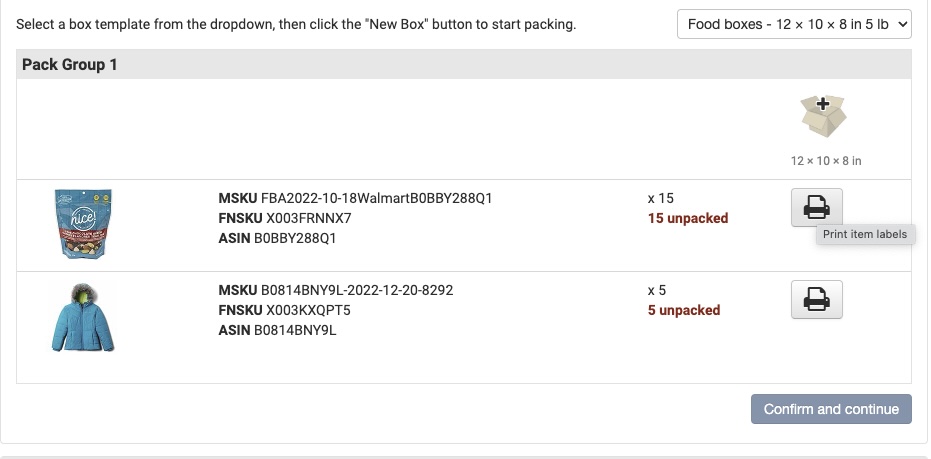
When using the A workflow, boxes are packed in pack group order, not necessarily shipment box order. If there’s more than one shipment, the box numbers for each shipment won’t align with the order you packed the boxes:
It may be more efficient to print the box labels in pack group box order, which requires custom software such as ScanPower. Regardless, each box will need to be labeled with a marker or a license plate number (LPN) when packing to match it to the correct shipment.
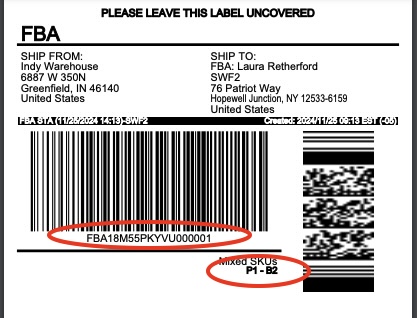
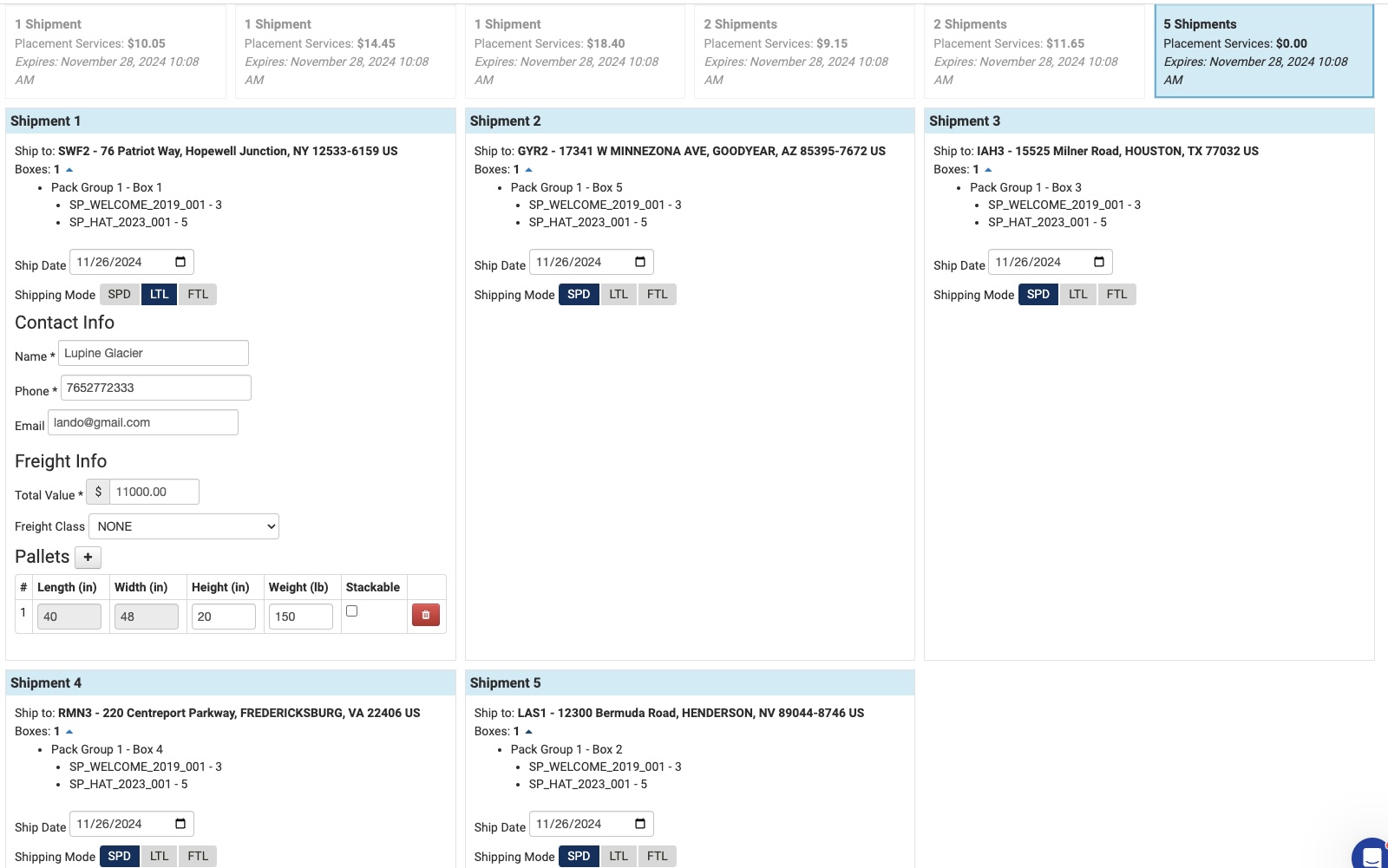
2. Compare placement options. The API now allows you to compare inbound placement fees and shipment destinations to choose the best combination of shipping distance and total fees.
There’s no longer a need to set Inbound Placement Settings in Seller Central. You may choose from all available options:
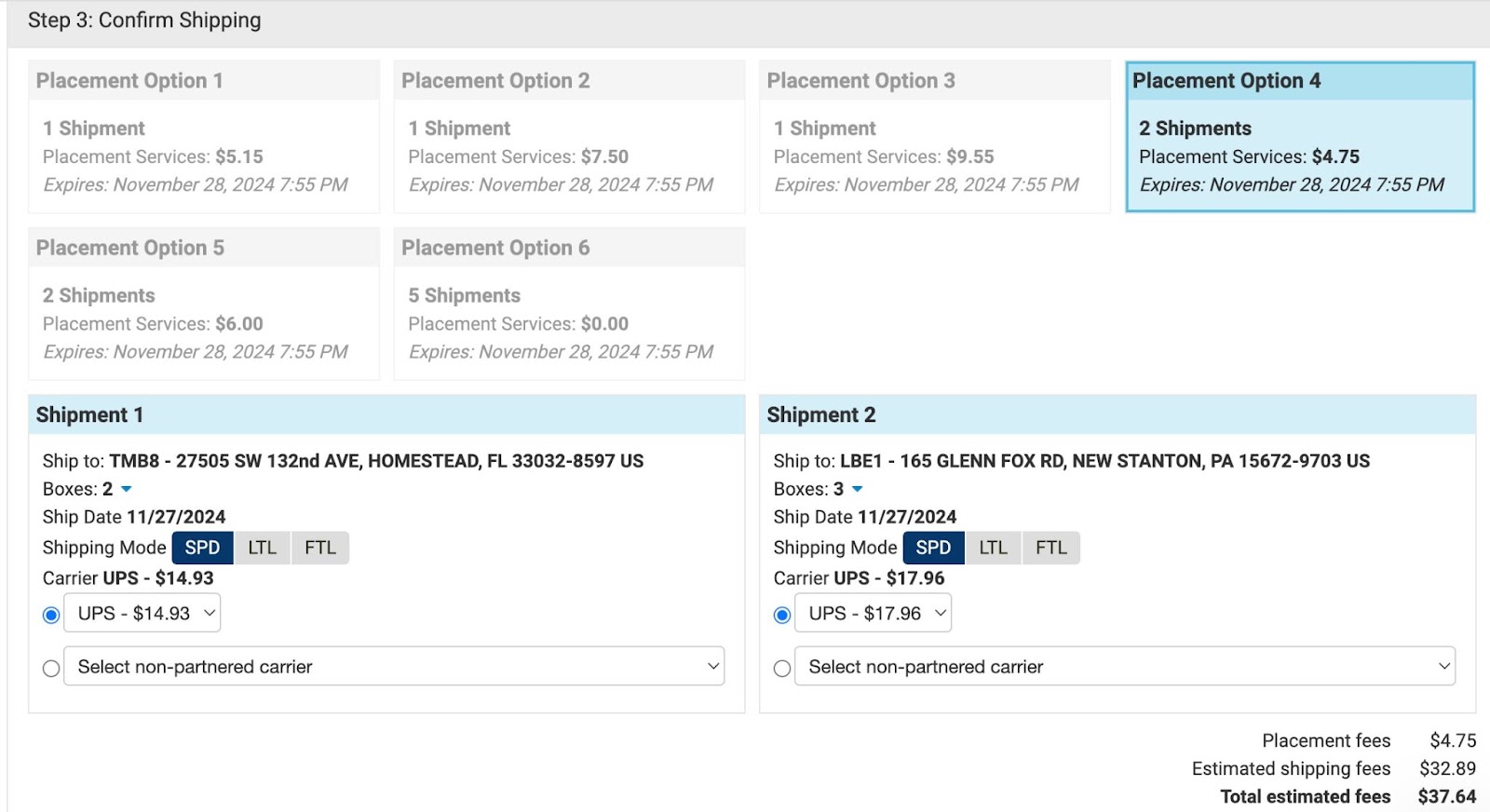
Choose the number of shipment splits (destinations), inbound placement fees, freight fees by understanding the tradeoffs:
- Which FC destinations are close and receiving inventory the fastest. Is it a regional or national IXD?
- What is the total inbound placement fee + transportation estimate?
- Is it more efficient for the warehouse to pack fewer shipments and overall less costly than paying the placement fee?
- Are other sellers sharing some of the distribution costs for distant shipment destinations or are they being born entirely by the brand owner?
3. Know the impact of making changes to your shipment plan. Each of the following is HARD TO DO with v1:
| Change | Allowed (Y/N) | Note |
|---|---|---|
| Add inventory to a shipping plan | N | You must cancel the existing plan and start over. This means you lose pack information, the chosen placement option, and transportation selection. |
| Change packed quantities or move items between boxes | Y | Complicated but possible. Still limited to SKU quantity changes of 6 units or 5%. |
| Remove SKUs entirely from a shipment | Y | Only if there are 6 quantity or fewer. |
| Switch from A to the B workflow | N | Must cancel the shipping plan and provide packing information again. |
| Use pack templates in the B workflow (formerly called case-packed) | N | Case packed attributes were removed from the shipping plan request and can only be emulated using the A workflow. |
| Set expiration dates as you pack on consumable inventory | Y | You must enter an initial expiration date to get a shipping plan but you can update the expiration date later during the pack step. |
Any un-allowed change that occurs after choosing a placement option requires deleting the shipment plan. You must cancel the current plan, which DELETES your packing data (boxes and quantities).
At ScanPower, we are adding features to simplify the transition:
- Save and restore packing information in case you need to add/remove SKUs from the workflow, change a confirmed placement option, or switch workflows.
- Automatically calculate LTL/FTL shipment value.
- Print pallet labels before confirming transportation options.
- Adjust pack quantities after confirming transportation options.
- Automatically calculate cubic volume and total pallet weight.
4. Ask your software provider or 3PL if they’ve implemented the new workflow.
Many software providers are behind schedule, only implementing part of the new workflow, or abandoning FBA Inbound altogether. The ScanPower Beta for both workflows is wrapping up and we have customers migrating now. If you need migration assistance or integration with your ERP, WMS or OMS via our API, please reach out!
Copyright 2026 ScanPower.
Inbound Inventory Placement Fees Update
In December 2023 Amazon announced a new fee for FBA inbound shipments, called the Inbound placement service fee. The announcement said they would begin charging sellers in July ’24 for inbound placement. In March of this year, a setting was added to Seller Central allowing sellers to choose a region and 1 of 3 placement options:

Amazon Optimized was the cheapest ($0) option but shipments might be split 5 or more ways.
Currently, the Selling Partner FBA Inbound API has no way to change the inbound placement options or region so the shipment splits and eventual placement fees are driven solely from the FBA Inbound Settings in Seller Central.
In March of this year, to help sellers predict and analyze FBA Inbound Placement fees, ScanPower created an FBA Inbound Placement Calculator in Prep & Ship that estimates fees in bulk for all items in the current batch based on the selected options:
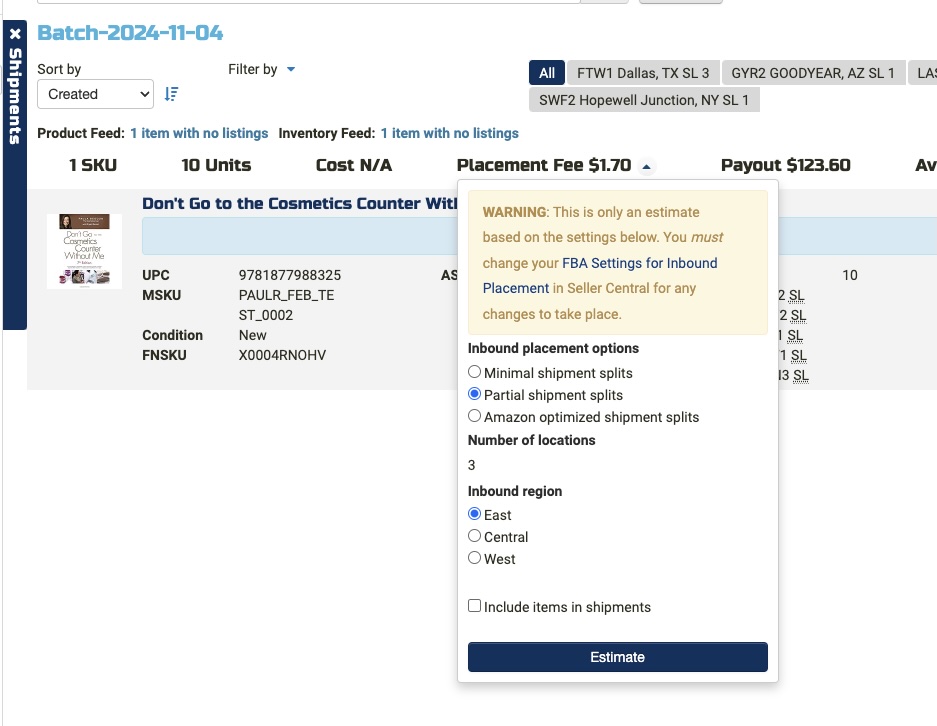
8 months later, after the failure of multiple black-hat techniques by various software selling partners to circumvent them, it is clear inbound placement service fees are here to stay.
On top of shrinking margins, the fees add another layer to FBA Inbound processing. Previously, you could adjust the inventory mix and quantity you send in each batch to generate favorable shipment splits and optimize for the best freight costs.
Now, sellers and 3PLs must choose between streamlined processing, with fewer shipments, and saving on the inbound fees but paying more for freight to multiple distant IDXs. Three different factors (region, splits preference, and inventory mix) complicate the calculus and may change at any moment during the day.
To avoid the fees, choose Amazon optimized placement. The trouble with $0 fees is the number of shipments doubles or triples leading to complicated processing and higher freight charges.
Recently, Amazon further restricted qualification for Amazon Optimized $0 placement fee by requiring shipments to include at least five identical cartons or pallets per item. Each carton or pallet must contain the same quantity per item and the same item mix. For resellers with limited access to higher quantities this means it is harder to avoid the inbound fee, especially for shipments with mixed SKUs.
If you process shipments using the FBA Inbound API with tools such as ScanPower, you will soon have the option to compare placement fees along side freight and transportation charges.
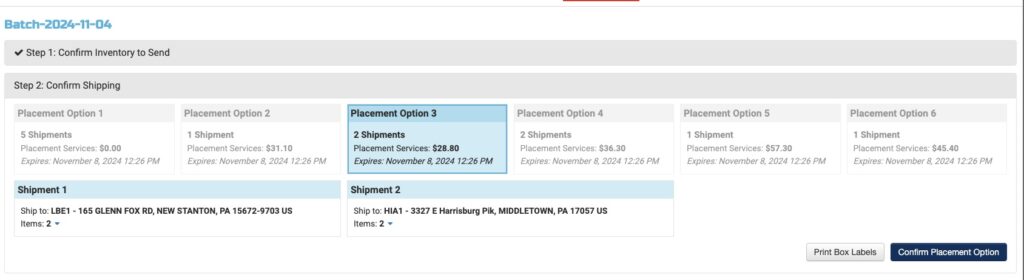
This will allow you to better estimate the total inbound cost of each shipment.
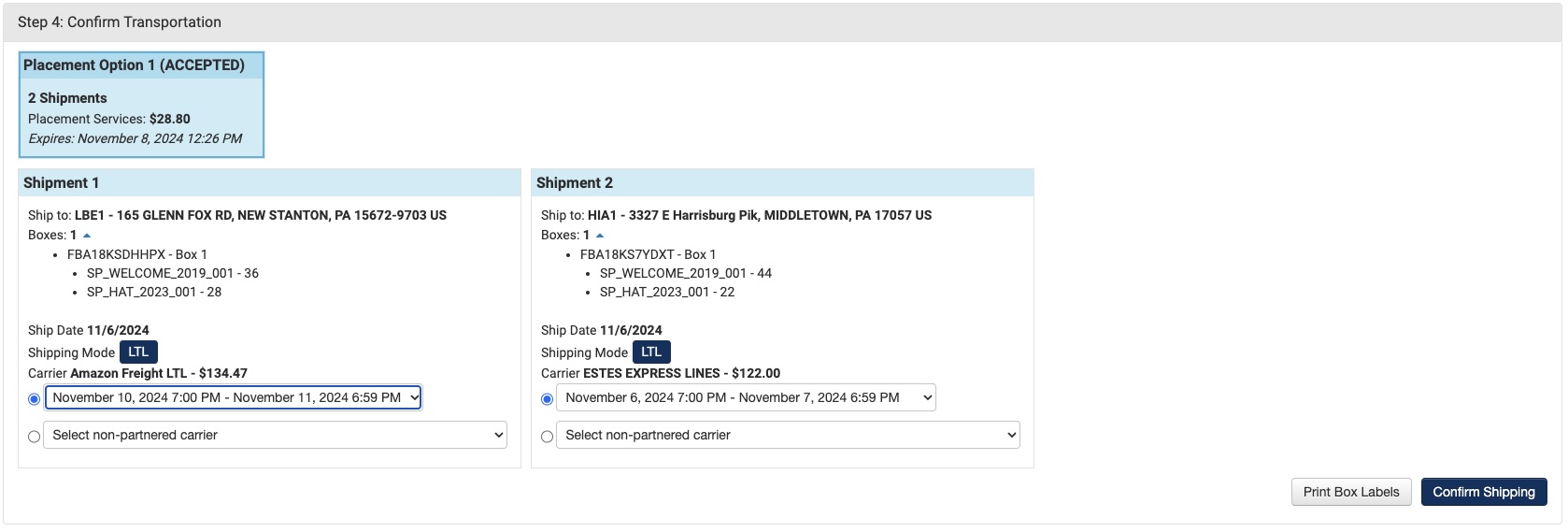
Starting December 2nd, ScanPower will support the new v1 FBA Inbound API with both workflows:
Pack first before placement and transportation options are accepted.
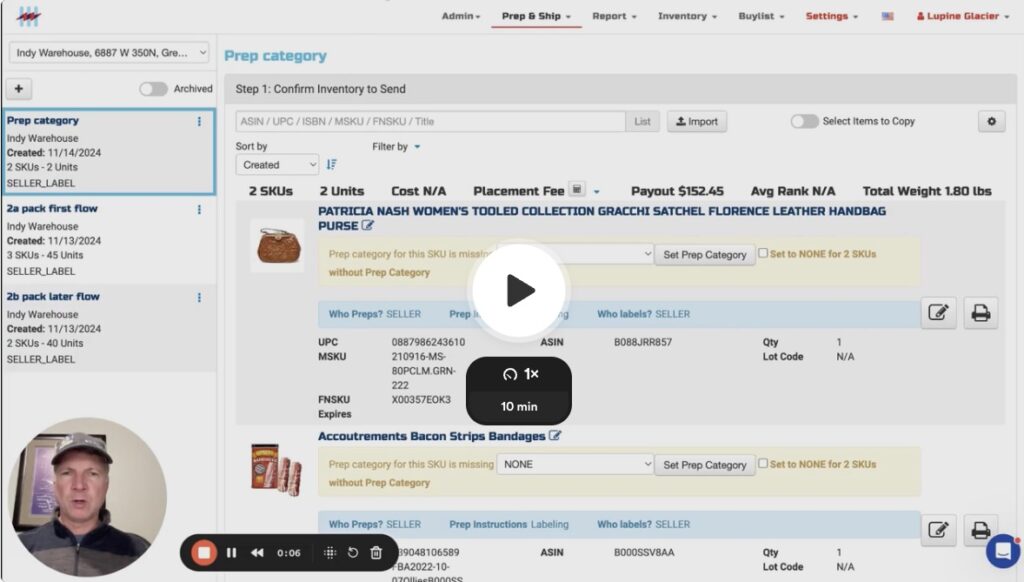
Pack after placement options are accepted.
One BIG Caveat is that Small Parcel Delivery (SPD) is ONLY supported in the Pack first flow. If you are shipping by partnered small parcel, you must save packing information before you accept placement options (shipment splits and fees). Also, if you want to ship SPD and LTL form the generated shipment splits, you can only do that in the Pack first (left side) flow.
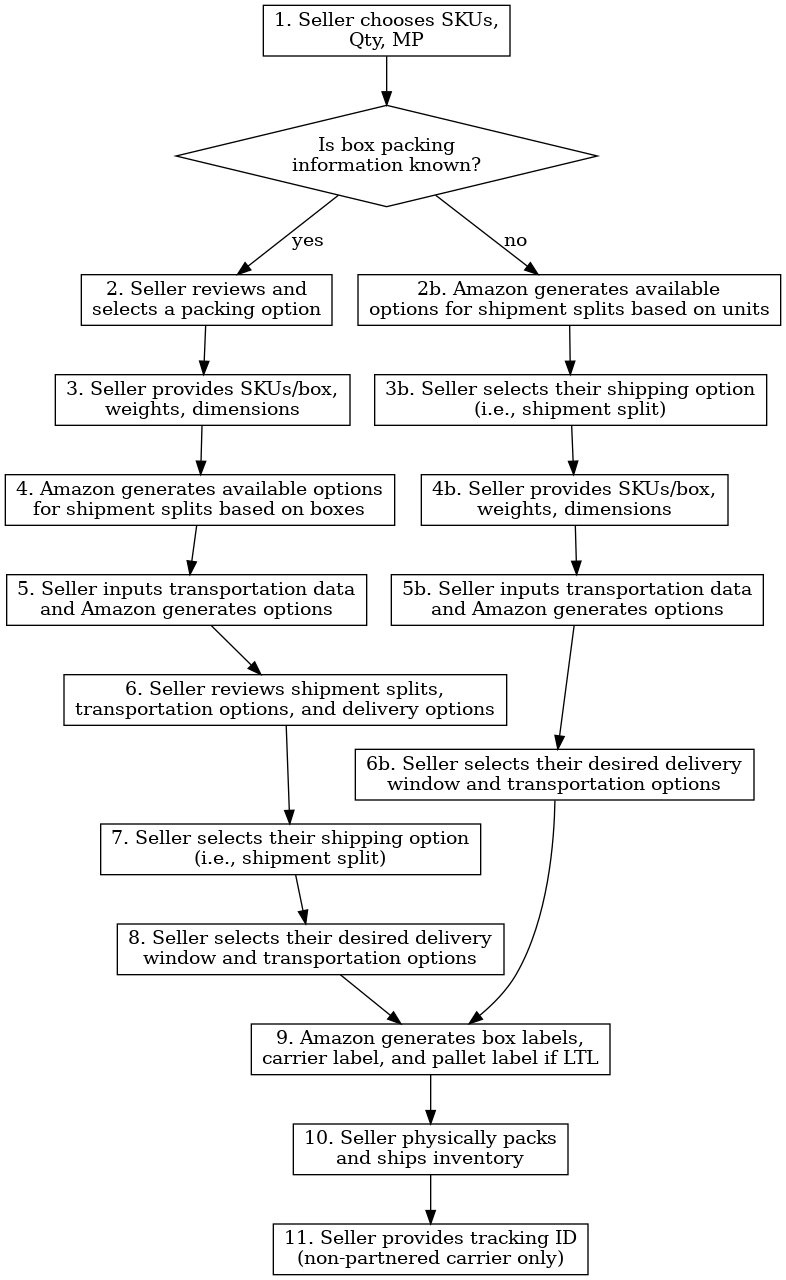
It goes without saying, sellers don’t need more stress in Q4 or big changes to existing FBA processes at this time. Unfortunately, Amazon is more worried about lowering the “cost to serve” for marketplace customers than they are the health of sellers, especially North American sellers. We want to help you with the transition and give you fair warning about the coming changes.
I will be hosting a Q&A every Wednesday until the current API is sundowned. We will be previewing the new API and discussing how it will impact different sellers and 3PLs:
NOTE: the current workflow and API discussed here was supported through 12/20/24.
ScanPower | Aura

We’re excited to announce our integration with Aura repricer!
Aura has been helping Amazon sellers safeguard profit margins for years. They recently redesigned Aura from the ground up, focusing on faster repricing and smoother integration of new features.
To Start a Free Trial, mention SCANPOWER and receive an extra month.
If you are selling under $10k/mo and a new Aura user, you can apply for the Early Stage program for $27/mo for up to 12 months.
Track costs, suppliers, shoppers and other metrics of your business in ScanPower
- See Net payout and ROI as you ship
- Upload Min and Max prices in bulk
Seamlessly transfer costs to Aura and grow your sales profitably
- Powerful AI copilot for Amazon repricing
- Hyperdrive updates prices for your top 50 Amazon listings in under 10 seconds
- Mobile – manage your listings and make vital adjustments on-the-go
Aggregators and Alligators

We’ve seen a lot of consolidation in the e-commerce software service (SAAS) space recently. Aggregators are buying independent software vendors to bring together related verticals within Amazon and across marketplaces. Solutions for advertising optimization are paired with product sourcing or a reimbursement service is paired with listing and shipping, etc. Customers from one vertical can benefit from being connected to sister services and visa versa. The goal is to streamline development, marketing & sales, reach economies of scale and Profit.
The benefit of rolling up solutions and integrating them with each other are clear for the aggregator – not always so for users. New ownership can bring uncertainty. In addition to the specter of increased prices, there are changes in staffing and product direction. Sometimes positive changes are offset by missteps in execution. Even more challenging is bringing multiple top-rated services under a single brand. Our experience has been, and what we hear from sellers, is they want ONLY THE BEST solutions. They don’t mind having separate software subscriptions as long as they are best-in-breed. They are no longer looking for an all-in-one solution because that does not exist.
What sellers need is for best-in-breed solutions to work together and integrate with each other.
At ScanPower we’re very focused on integrations. In the last three months, we’ve completed 3 integrations and are working on more. The foundation for most integrations is a public API, which allows the two systems to talk with a shared protocol and known data mappings. Our API has been available for over five years and many of our large sellers use it to integrate with their commercial and custom software.
APIs and Integration are increasingly important, not only because they save sellers time. They also allow automation. Automation will soon be the difference between a profitable business and one that treads water. Anything that cannot be automated will absorb a disproportionate amount of time and cost from the business.
In the very near future, logging in to a browser to accomplish business tasks won’t be needed. They will be automated away by scripts and AI agents. Conversations will accomplish more than clicks. When human input is needed, the automation will let us know.
Automation will soon be the difference between a profitable business and one that treads water
I don’t see software aggregators solving this problem. Here’s why:
- It’s not possible to be best-in-breed without relentless focus on a niche problem set. You can’t do that if you are spending a lot of time building integrations between software which was never designed to work together. You aren’t focused on the core problem and may be ignoring other best-in-breed solutions instead of embracing them.
- We’ve all heard the quote by Jim Barksdale, then CEO of Netscape, “There are only two ways I know to make money in business: bundling and unbundling”. Bundling works well when the quality or the depth of the solution is less important.[1] It stops working when we need higher quality and more responsive solutions.
- Bundling works poorly during times of rapid technological change, e.g. when streaming video killed cable TV. The same thing is happening in software. AI is changing the pace of innovation. Hand coded software that caters to a Web2 model of a user sitting in front of browser, will no longer work.[2]
- Speed of execution is critical. Requirements for sellers are changing monthly within Amazon marketplaces. That means software has to adjust more quickly. Development must be optimized for weekly releases to keep up with the relentless pace of change. Amazon changes can create a flywheel effect by driving new feature requests from sellers, often to lessen the impact of particularly aggressive changes. For example, the most recent round of FBA Inbound placement fees correspond with a new API release. This puts pressure on sellers who turn to their software services for solutions that help reduce the cost of the Amazon fee change. It’s a trifecta of changes for the software service and the net effect is to slow down product development.
- Innovation is hard when you buy and integrate unrelated software services. If the service isn’t best-in-breed, you’re already playing catch-up with features and workflows that lag behind competitors. Amazon APIs are often upgraded annually, so it’s hard to innovate when you are performing updates on 10s of applications across 50 Selling Partner APIs. At the same time you’re trying to integrate disparate technology stacks. Each app typically uses 10+ cloud services. What if they run in separate clouds? What if database functions, not to mention core code, need to be translated to new languages? The technology challenge is immense.
The most powerful time for startups is when the emergence of a new tech coincides with buyers’ preference shift to quality. This provides startups with the means to create a compelling unbundled product as well as a market uniquely receptive to it
These are just a few reasons I believe independent and highly focused software companies, who aggressively integrate with other best-in-breed software, will serve sellers best. Ultimately it is the sellers who decide!
–Paul
Contact us or schedule a call
Send ScanPower a message
Privacy Notice
ScanPower knows that you care how information about you is used and shared, and we appreciate your trust that we will do so carefully and sensibly.
Please note that ScanPower owns and operates this web site. Information gathered by ScanPower, as described in this Privacy Notice, may be correlated with any personally identifiable information that scanpower.com has to improve the services we offer.
Information about our customers is an important part of our business, and we are not in the business of selling it to others. We share customer information only as described below
What Personal Information About Customers Does ScanPower Gather?
Only information YOU GIVE US. We receive and store any information you enter on our Web site, provide using the Services, or give us in any other way. You can choose not to provide certain information, but then you might not be able to use the Services. We use the information that you provide for such purposes as opening your account, processing shipments and reports, responding to your requests, and communicating with you.
Google Workspace Marketplace Add-on
Our Workspace Add-on is used to facilitate the transfer of information into and out of your ScanPower account via our API. We push/pull only inventory, shipment, and carton content data you provide. We do not access, use, store, or share Google user data. We transfer only Google document data you explicitly select with the ScanPower Add-on Menu. When you take action, we modify existing documents but do not create new documents or delete existing ones.
We DO NOT share your Google user data.
What About Cookies?
Cookies enable our systems to recognize your browser so we can recognize you as an ScanPower user. We use cookies to identify you in the session while using the service.
Does ScanPower Share the Information It Receives?
We do not share your information with outside parties or our affiliates.
How Secure Is Information About Me?
We work to protect the security of your Amazon and Walmart information during
transmission using Secure Sockets Layer (SSL) and all data is encrypted at rest in our
databases.
We adhere to the
Amazon Solution Provider Portal Agreement ,
the Acceptable Use Policy
and the Data Protection Policy
Our cloud providers adhere to the following standards:
ISO/IEC Standards: Adheres to ISO 27001 (Information Security
Management), ISO 27017 (Cloud Security), and ISO 27018 (Cloud Privacy).
SOC Reports: Provides independent
SOC 1, SOC 2, and SOC 3
audit reports evaluating security, availability, and confidentiality controls.
PCI DSS: Meets Payment Card Industry
Data Security Standard Level 1
requirements for secure credit card handling.
Our sub-processors include: Google, Amazon Web Services (AWS), Intercom, HubSpot, Stripe, Vercel
It is important for you to protect against unauthorized access to your password and to your computer. Be sure to sign off when finished using a shared computer.
Terms of Use
ScanPower and its affiliates provide their services to you subject to the following conditions. If you visit scanpower.com, you accept these conditions. Please read them carefully. In addition, when you use any current or future ScanPower you also will be subject to the guidelines and conditions applicable to such service or business.
You may cancel anytime. No credit card is needed to trial ScanPower. We will charge the card on file on the 15th day.
Privacy
Please review our Privacy Notice, which also governs your visit to scanpower.com, to understand our practices.
Copyright
All content included on this site, such as text, graphics, logos, button icons, images, audio clips, digital downloads, data compilations, and software, is the property of ScanPower or its content suppliers and protected by United States and international copyright laws. The compilation of all content on this site is the exclusive property of ScanPower and protected by U.S. and international copyright laws. All software used on this site is the property of ScanPower or its software suppliers and protected by United States and international copyright laws.
License and Site Access
ScanPower grants you a limited license to access and make personal use of this site and not to download (other than page caching) or modify it, or any portion of it, except with express written consent of ScanPower. This license does not include any resale or commercial use of this site or its contents; any derivative use of this site or its contents; or any use of data mining, robots, or similar data gathering and extraction tools. This site or any portion of this site may not be reproduced, duplicated, copied, sold, resold, visited, or otherwise exploited for any commercial purpose without express written consent of ScanPower. You may not frame or utilize framing techniques to enclose any trademark, logo, or other proprietary information (including images, text, page layout, or form) of ScanPower or its affiliates without the express written consent of ScanPower. You may not use any meta tags or any other “hidden text” utilizing ScanPower’ or its affiliates’ name or trademarks without the express written consent of ScanPower. Any unauthorized use terminates the permission or license granted by ScanPower. You are granted a limited, revocable, and nonexclusive right to create a hyperlink to scanpower.com so long as the link does not portray ScanPower, its affiliates, or their products or services in a false, misleading, derogatory, or otherwise offensive matter. You may not use any logo or other proprietary graphic or trademark of ScanPower or its affiliates as part of the link without our express written permission.
Data Retention Policy
As a ScanPower user your ScanPower account is linked to your Seller Central professional seller account via Amazon’s SP-API. Via this connection as well as the information you input into ScanPower as a user, ScanPower has access to purchase, inventory, and sales data in addition to Seller Central settlement reports. ScanPower will retain all purchase and inventory data for the lifetime of your account. Please be aware that ScanPower will only retain sales data and settlement report related data for the previous and current fiscal years. Sales data can be backed-up by the user at any time by downloading results from the Sales reports accessible at https://unity.scanpower.com/report/.
Disclaimer of Warranties and Limitation of Liability
THIS SITE IS PROVIDED BY ScanPower ON AN “AS IS” AND “AS AVAILABLE” BASIS. ScanPower MAKES NO REPRESENTATIONS OR WARRANTIES OF ANY KIND, EXPRESS OR IMPLIED, AS TO THE OPERATION OF THIS SITE OR THE INFORMATION, CONTENT, MATERIALS, OR PRODUCTS INCLUDED ON THIS SITE. YOU EXPRESSLY AGREE THAT YOUR USE OF THIS SITE IS AT YOUR SOLE RISK. ScanPower RESERVES THE RIGHT TO WITHDRAW OR DELETE ANY INFORMATION FROM THIS SITE AT ANY TIME IN ITS DISCRETION. TO THE FULL EXTENT PERMISSIBLE BY APPLICABLE LAW, ScanPower DISCLAIMS ALL WARRANTIES, EXPRESS OR IMPLIED, INCLUDING, BUT NOT LIMITED TO, IMPLIED WARRANTIES OF MERCHANTABILITY AND FITNESS FOR A PARTICULAR PURPOSE. ScanPower DOES NOT WARRANT THAT THIS SITE, ITS SERVERS, OR E-MAIL SENT FROM ScanPower ARE FREE OF VIRUSES OR OTHER HARMFUL COMPONENTS. ScanPower WILL NOT BE LIABLE FOR ANY DAMAGES OF ANY KIND ARISING FROM THE USE OF THIS SITE, INCLUDING, BUT NOT LIMITED TO DIRECT, INDIRECT, INCIDENTAL, PUNITIVE, AND CONSEQUENTIAL DAMAGES. CERTAIN STATE LAWS DO NOT ALLOW LIMITATIONS ON IMPLIED WARRANTIES OR THE EXCLUSION OR LIMITATION OF CERTAIN DAMAGES. IF THESE LAWS APPLY TO YOU, SOME OR ALL OF THE ABOVE DISCLAIMERS, EXCLUSIONS, OR LIMITATIONS MAY NOT APPLY TO YOU, AND YOU MIGHT HAVE ADDITIONAL RIGHTS.
All rights not expressly granted in this Agreement are reserved by ScanPower.
Four reference pages are designed and not built
The plan has a fourth layer under the eleven pages in this file: a reference library whose job is to be cited rather than to sell. It is designed, scoped and seeded from real help center articles, and it is deliberately out of scope for this mockup.
They are listed here so the footer has somewhere honest to point instead of linking to pages that do not exist. Each row names the query it is built to answer and the help center articles it is written from.
What is in the reference library?
Four hubs, each promoted out of a help center collection that already exists and already answers the question. The help center is indexed separately from the marketing site today, so none of that authority reaches a page that can convert.
/fba-error-codes/
Informational intent
Target query: The verbatim error strings themselves: 5665, AndonCordManager, FTXGatewayService … 412, ITEM_WITH_NO_VALID_FC.
Written from: The whole error-messages/ collection in the help center, 32 articles, with understanding-fba-error-messages.md as the hub. Launch with 15 to 20, ordered by real support-ticket volume, which only Paul can supply.
Designed, not built No fragment for this slug exists in this file. Links to it route to this index.
/prep-requirements/
Informational intent
Target query: amazon fba prep requirements 2026
Written from: how-do-i-learn-about-packaging-and-prep-requirements.md, packaging-and-shipping-to-amazon.md, amazon-product-expiration-guidelines.md, fba-inventory-storage-limits.md, how-to-update-commingled-setting.md, and the meltable and hazmat-and-dangerous-goods error articles.
Designed, not built No fragment for this slug exists in this file. Links to it route to this index.
/label-printing-reference/
Informational intent
Target query: how to print fnsku labels, what label size for dymo 450
Written from: The 15 printing articles in the help center, rendered as a label type by printer matrix. Includes the Chrome 147 local network access change that started blocking the QZ Tray WebSocket, which nothing else on the public web has written up.
Designed, not built No fragment for this slug exists in this file. Links to it route to this index.
/integrations/
Commercial intent
Target query: does scanpower integrate with plus a partner name
Written from: One hub with four children, one per documented integration, each seeded from that integration’s own help center article.
Designed, not built No fragment for this slug exists in this file. Links to it route to this index.
What about the links the current footer promises?
The live site’s footer points at four more URLs that do not exist: a mobile sourcing page, a reporting page, an enterprise page and a changelog. They are not part of this build and they are not in the reference library either, so this file does not link to them at all rather than shipping a dead link.
A link that 404s costs more than a link that is missing. Every one of the four is a real page worth writing; none of them is written yet.
Read the eleven that are built
The pages in this file are complete drafts, not wireframes. Every claim on them traces to a source, and every gap is marked.
Homepage
1 open item on /, plus 0 daggered claims held out of that page’s structured data. Two items resolved 2026-08-21: print-as-you-pack is confirmed pack-later/LTL only, and confirmed Amazon-only (not part of Walmart WFS). Day 15 resolved 2026-09-01: the card on file is charged on the 15th day, per the new Terms of Use page. Also 2026-09-01: Kai’s testimonial was replaced with a real quote from Kal, resolving that proof slot. Six more items resolved 2026-09-02, by Paul’s direction: an API-created shipment is confirmed not to need a Seller Central visit; the pricing page’s feature list is confirmed the current, correct version, closing the plan-picker’s feature-list-disagreement question; the cancellation policy is confirmed to resolve correctly on the help center, now linked from the page; retention is confirmed as the current and previous fiscal years, stated in both terms documents now hosted on the new site; a trial that never printed a label is confirmed not charged; and ScanPower is confirmed to deliberately not promise a response time or support hours (now stated on the page as a decision, not a gap). Matt V. is identified as Matt Maxwell, owner @CycleCrew, and the quote is updated here and on the pricing page. The first stat is now real 2026-09-10: “100,000+ Shipments YTD, shipped through ScanPower” (was “100+ Million products shipped”). The second stat is now real 2026-09-18: “<2.5 hours, average time to pack a shipment with 328 mixed SKUs” (was “3+ Million 2D labels never printed”, open item #6) — its dagger, and the stale reference to the old figure on the vs-seller-central page, are both removed. The third stat is reworded 2026-09-18 from “40% error reduction” to “Thousands of sellers, trust ScanPower with their shipments”, dropping the unattributed figure rather than carrying a basis/as-of date for it. The rest of the proof slots (one named operation, badge placement) stay open below. Open the page.
Pending Paulthe proof slots
One named operation with a number attached. Three Amazon badge assets exist; the one confirmed placement names two different programs, so none renders. (The first stat is now real — “100,000+ Shipments YTD, shipped through ScanPower” — resolving that slot 2026-09-10; the second stat is now real — “<2.5 hours, average time to pack a shipment with 328 mixed SKUs” — resolving that slot 2026-09-18; the third stat is reworded 2026-09-18 from the unattributed “40% error reduction” to “Thousands of sellers, trust ScanPower with their shipments”, resolving that slot; Matt V. is now identified as Matt Maxwell, owner @CycleCrew, resolving that part of this slot 2026-09-02; Kai’s testimonial was replaced 2026-09-01 with a real quote from Kal, resolving that slot.)
For Amazon
1 open item on /fba-prep-and-ship-software/, plus 0 daggered claims held out of that page’s structured data. Two items resolved 2026-08-21: print-as-you-pack scope (pack-later/LTL only) and the pack-station live-update mechanism. Trimmed 2026-09-01: the “Before and after the pack station” section was removed from the page in whole, and its jump-nav link with it. The training-quote attribution resolved 2026-09-01: the “Kai” quote now carries a full name, role and company (“Kal - co-founder @SellerSmart UK”, reworded 2026-09-18). Four items resolved 2026-09-02, by Paul’s direction: the “#9, the Try Send to Amazon conversion trap” question is confirmed still current, and its dagger is removed; the pack group definition’s wording is confirmed correct, and its dagger is removed; the receiving-and-reconciliation gap and the reporting-layer-deserves-its-own-page gap are both dropped from this tracker at Paul’s direction, to be revisited later when there’s real content to add. The pack-station photo note was also removed from the page on 2026-09-22, but no real photo exists yet, so it stays tracked below rather than folded in as resolved. Open the page.
Pending Paula real pack-station photograph
A ScanPower pack station, with a thermal printer, a screen and a closed carton on it. None exists in the asset library, and a stock warehouse photograph here would be worse than none.
About
0 open items rendered on /about/, plus 0 daggered claims held out of that page’s structured data. Trimmed 2026-08-21: the team-count heading, the Ingenium IT bio (and its other on-page mentions), the “who answers when you write in” block, and the entire vendor-facts section (table, screenshot note, and their shared flag block) were removed from the page. The help-center article count, four headshots, support hours, and the product screenshot were the flags those held — none of the four is actually confirmed, they simply are not asked on this page anymore. The legal entity name (as legalName) remains in this page’s structured data; the business address and phone number were removed from it on 2026-09-01, a deliberate decision to keep both off the site rather than a gap. The founding-year dagger is resolved: the founder’s quote now says “17 years on” to match the 2009 LinkedIn founding date, and foundingDate is now published in structured data. The pack-station photo note was also removed from the page on 2026-09-01, but no real photo exists yet, so it stays tracked below rather than folded in as resolved. Open the page.
Pending Paula photograph of Paul at a real pack station
A picture of Paul with a workstation, a thermal printer and a closed carton, taken in a real warehouse. The only image the current About page carries is a scan of a signature, used as the social share card. A stock photo of a stranger in a hi-vis vest would be worse than no photo at all.
Nothing here blocks the design review
Every item above is a content question, not a layout question. The pages render, the routes work, and each gap is visible rather than papered over. Answering these turns flags into sentences; it does not move a single component.